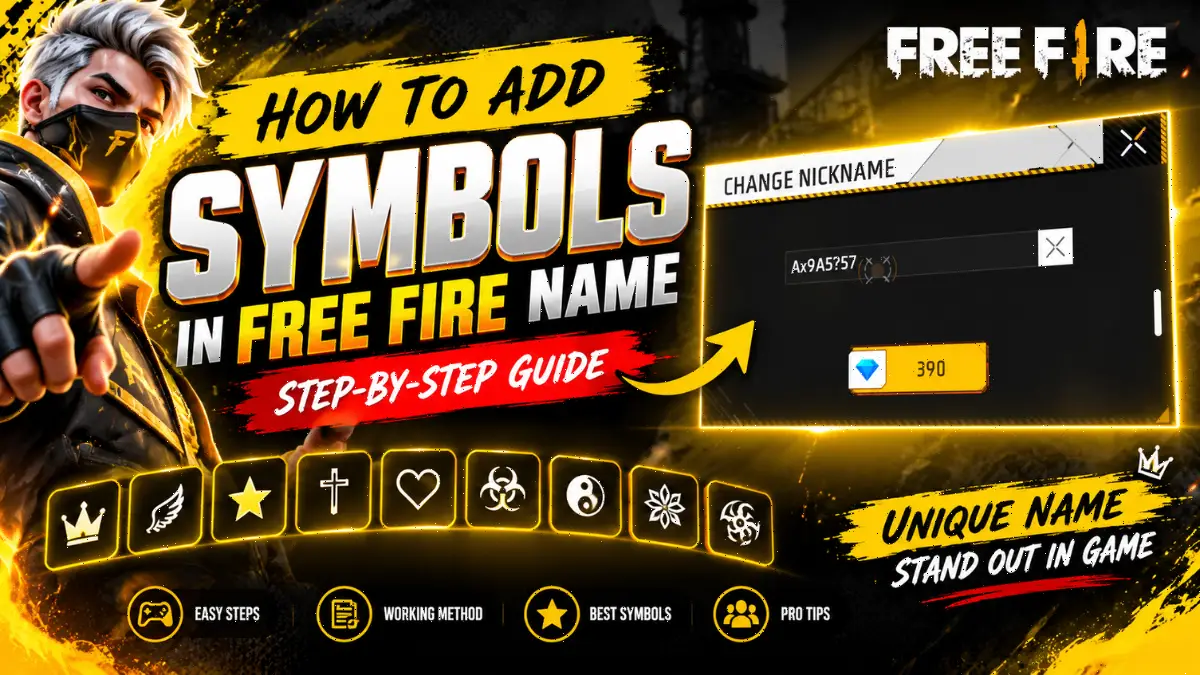
A Free Fire name is the in-game name of a player, and it is unique for every player. Free Fire players use symbols and decorative characters to make their in-game name look stylish and match the gaming vibe.
These special symbols are not available on a mobile keyboard. This blog post will explain how to add symbols to the in-game name of a Free Fire account. The complete step-by-step process will be explained, making it easy to understand how to add special symbols to an in-game name.
What Are the Free Fire Name Rules and Limits?
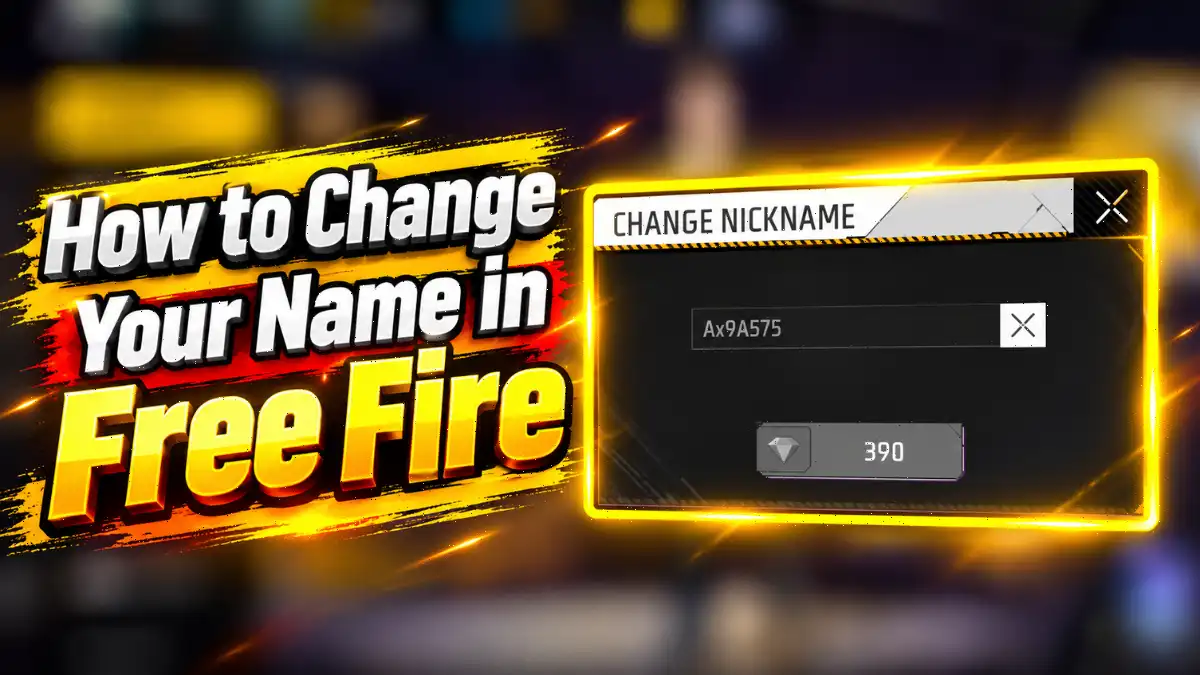
Free Fire enforces a strict 12-character limit for all in-game nicknames. Every single letter, symbol, space, or invisible character counts toward that total. If you want to change your name after creating your account, it costs 390 diamonds or requires a Name Change Card.
The 12-character limit is absolute. Fancy Unicode characters like ꧁ or 乡 count as exactly one character each. This means a heavily framed name like ꧁☬KING☬꧂ uses up 9 of your 12 available slots. You only have 3 characters left for your actual name.
According to Garena’s official Abuse Policy, a player’s in-game name is checked based on several criteria to see whether it helps maintain a positive gaming environment. It is also checked whether the name promotes hate, discrimination, or any other offensive content against a person or group. If such a name is found, players are advised to report it through in-game Customer Service so that an inappropriate gaming environment can be managed and a better gaming environment can be maintained.
Therefore, every player should choose an in-game name that everyone can easily read. Players should avoid using names that may seem offensive to others or make them feel uncomfortable while reading them.
How Do You Add Symbols to a Free Fire Name Step-by-Step?
To add symbols to your Free Fire name, you must visit a stylish name generator, type your desired name, and copy the generated Unicode design. Then, open your Free Fire profile settings and paste it into the nickname field using a Name Change Card or 390 diamonds.
Here is the exact process we use at GamingNewsLab to get the perfect name:
Part 1
- Open a reliable Free Fire stylish names generator on your phone or PC.
- Type your base name, like “Raistar” or “Viper”.
- The tool will generate multiple styled versions. Find the one you like.
- Tap the “Copy” button to save it to your clipboard.
Part 2
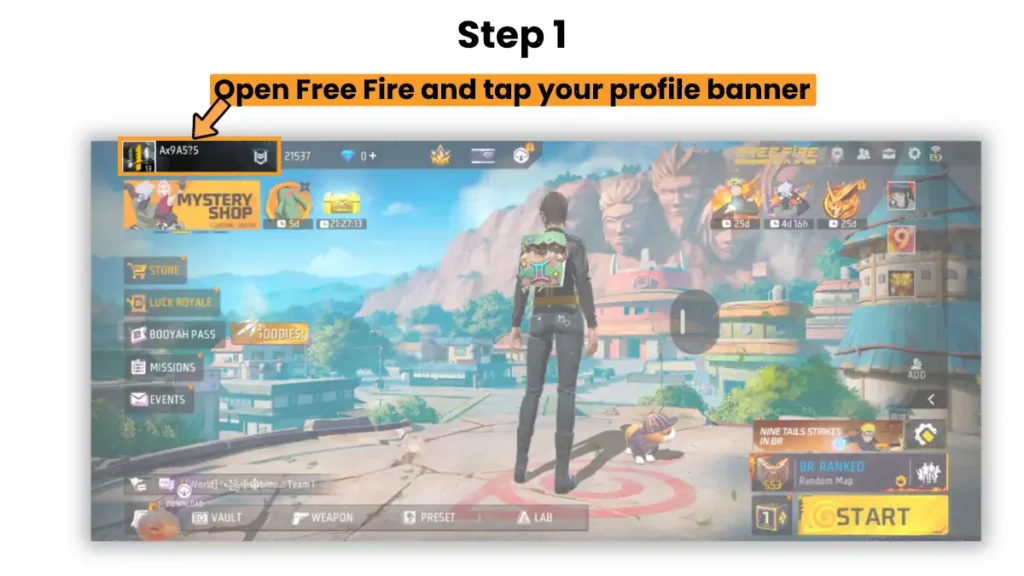
1. Open Free Fire and tap your profile banner in the top left corner.
2. Tap on Setting Icon in Free Fire Profile
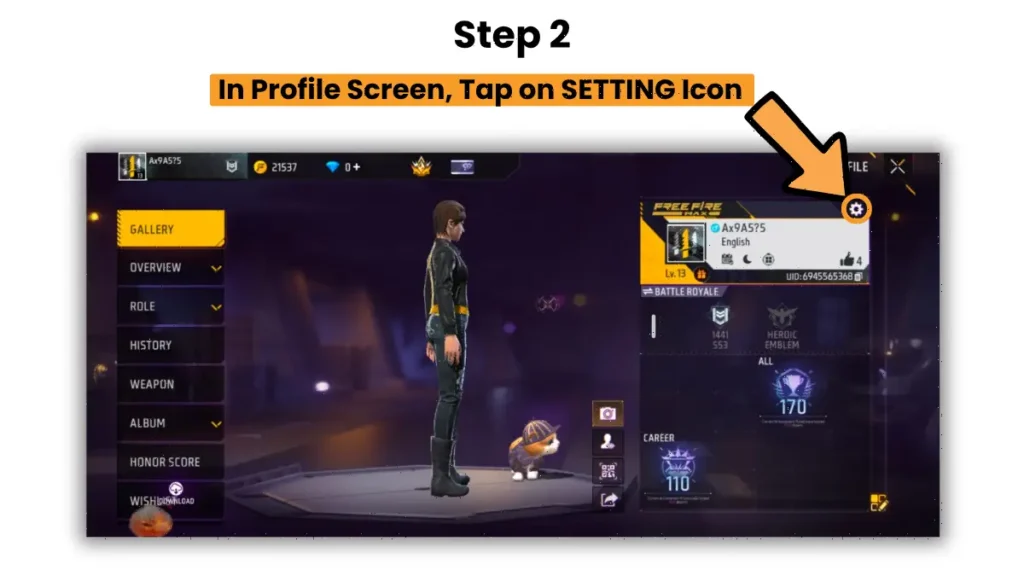
3. Tap the small edit icon next to your current name.
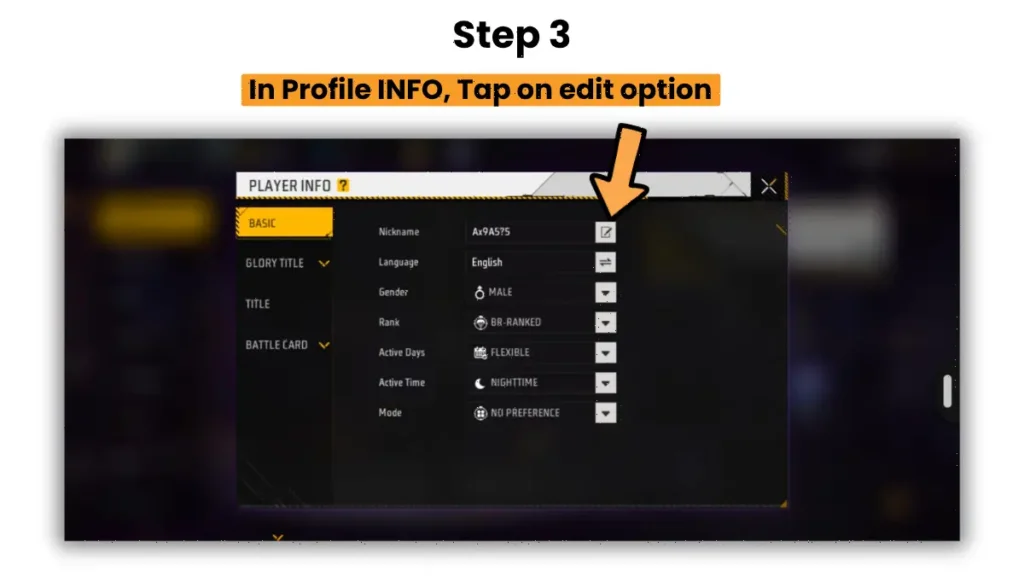
4. Paste the copied text into the text box and Confirm the change and spend your 390 diamonds.
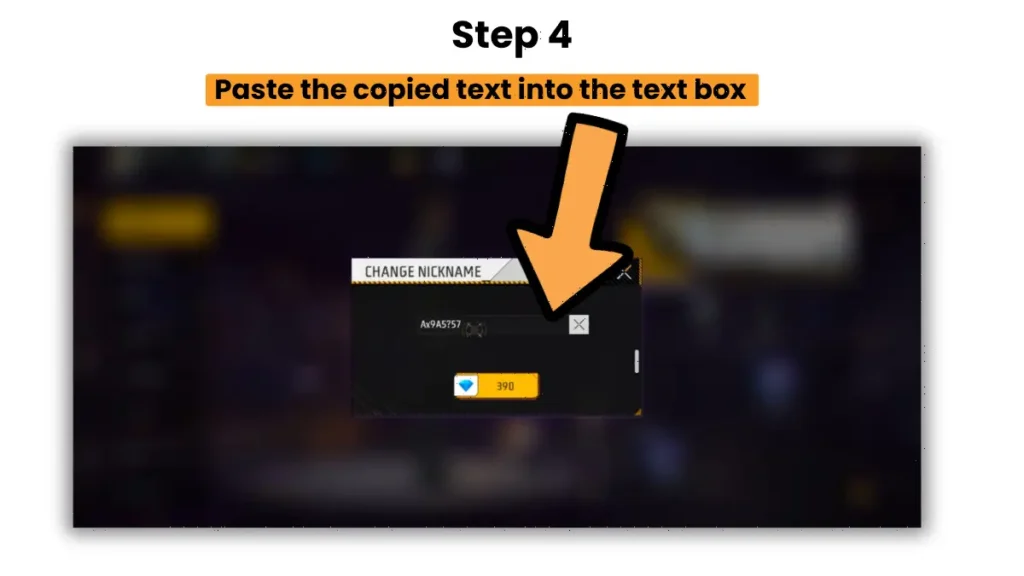
We always test the pasted name in a notes app first to ensure it looks clean and fits the limit. The yellow diamond button shown below in the above image in step 4, which costs 350 diamonds, will not be enabled until your stylish name is within 12 characters.
Best Working Symbols and Frames for 2026
Not all symbols work in the latest OB55 update. Garena frequently patches out broken Unicode characters. We tested dozens of symbols to find the ones that still work perfectly in 2026.
Classic Frames:
- ꧁ YourName ꧂
- 乡 YourName 乡
- ★ YourName ★
Crowns, Stars, and Accents:
- ♛ YourName ♛
- 亗 YourName 亗
- ☬ YourName ☬
If you are building a squad, matching names look incredibly intimidating. You can pair your new stylish name with one of our curated cool clan names to dominate the lobby. Remember that every special character takes up your precious 12-character limit. Keep your name short, like “Ace” or “Zed”, to leave room for the fancy frames.
How Do You Use Invisible Spaces in Free Fire Names?
You can add invisible spaces to your Free Fire name by copying the Hangul Filler Unicode character from a text generator and pasting it between your words. This allows you to create blank gaps without using the standard spacebar, which the game often rejects.
The regular spacebar often causes the “invalid character” error in Free Fire. Players use a special invisible character to bypass this. The most reliable option in 2026 is the Hangul Filler (U+3164). You can easily find an invisible character generator online. Simply copy the blank space from the website. Then, paste it directly between the letters of your name in the Free Fire edit box.
For example, “K I N G” with invisible spaces looks much cleaner than “KING”. We tested this method on both Android and iOS devices, and it works flawlessly. Just remember that this invisible space still counts as one of your 12 characters.
If your name gets cut off, you must delete some symbols. Shorten your base name to fix the issue. Also, make sure you secure your account before making any major profile changes to avoid losing access.
Final Word
To decorate your Free Fire name is easy when you know all step by step process. After reading this blog post, you should have all the information about the character limit, how many diamonds are needed to change the in-game name, and what things you should keep in mind. We hope this guide helped you learn exactly how to add symbols in Free Fire name.
Want more Free Fire guides? Check out our tips on how to recover a lost FF ID or create a matching Instagram gaming bio. Drop a comment below with your new stylish name and let us know how it looks in-game!
Frequently Asked Questions
Yes, your very first name change is usually free when you create a brand new account. After that initial change, you must use a Name Change Card or pay 390 diamonds.
No, standard mobile emojis like 😂 or 🔥 are not supported in Free Fire nicknames. You must use specific Unicode text symbols that the game recognizes as valid characters.
Garena occasionally gives away Name Change Cards during special anniversary events, top-up bonuses, or esports tournament reward missions. Keep an eye on official announcements.
Most modern devices will display the symbols perfectly. However, players using very old phones might see blank boxes or question marks instead of your fancy characters.
Yes, you can change it back, but it will cost another 390 diamonds or require a second Name Change Card. The game does not keep a history of your past names.