
If you play Free Fire and don’t know how to bind your Free Fire MAX account or keep your game data secure, this information is very important for you. Many players keep playing on a guest account for months, collect a lot of rewards, and earn many gun skins. But one day, their data suddenly gets lost, and they have to start again from zero. In such a situation, account binding in Free Fire provides an effective solution to all these problems.
This complete guide covers everything you need. You will see clear steps, error fixes, and security best practices. Whether you play casually or push ranked hard, binding is the first smart move every gamer should make.
What Is Account Binding in Free Fire MAX?
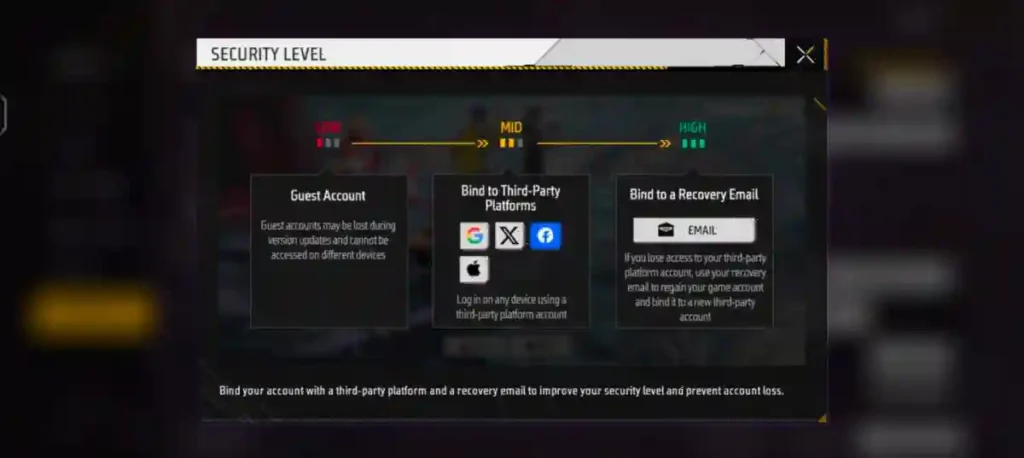
Account binding in Free Fire MAX is the process of linking your guest game data to a permanent platform account such as Facebook, Google, or VK. Once your account is bind, all your game data is saved on Garena’s servers. This keeps all your game data safely stored and makes the chances of losing it almost zero.
Guest accounts store everything locally on your phone. Binding changes that and protects you from device loss, reinstalls, or updates. According to Garena’s official guidelines, If your account is not bound, you will not be able to recover it in any way.
So, first bing your accoun as soon as possible. This will keep your game data secure and make the chances of losing it in the future almost zero.
How to Bind a Guest Account in Free Fire MAX?
Follow these simple steps to bind your guest account safely:
1. Update Free Fire MAX to the latest version.
2. Open the game
3. Tap the settings icon
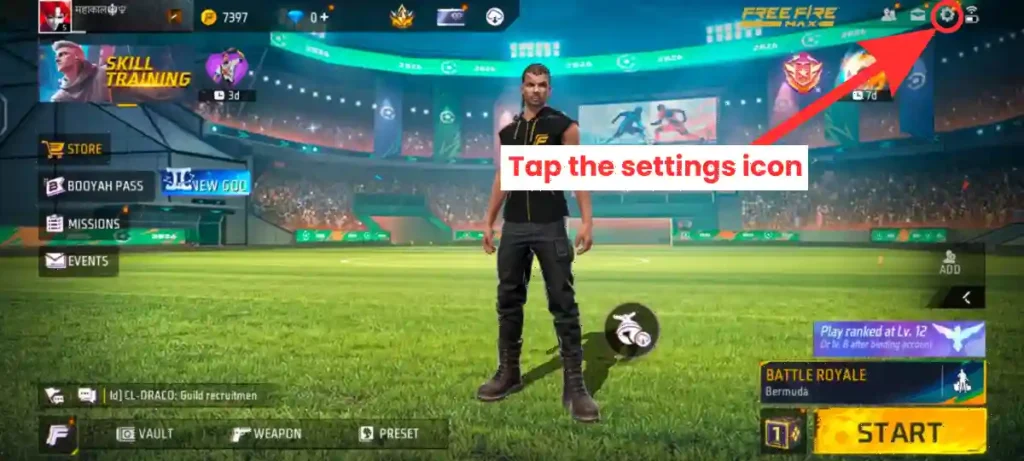
4. Go to Account & Basic
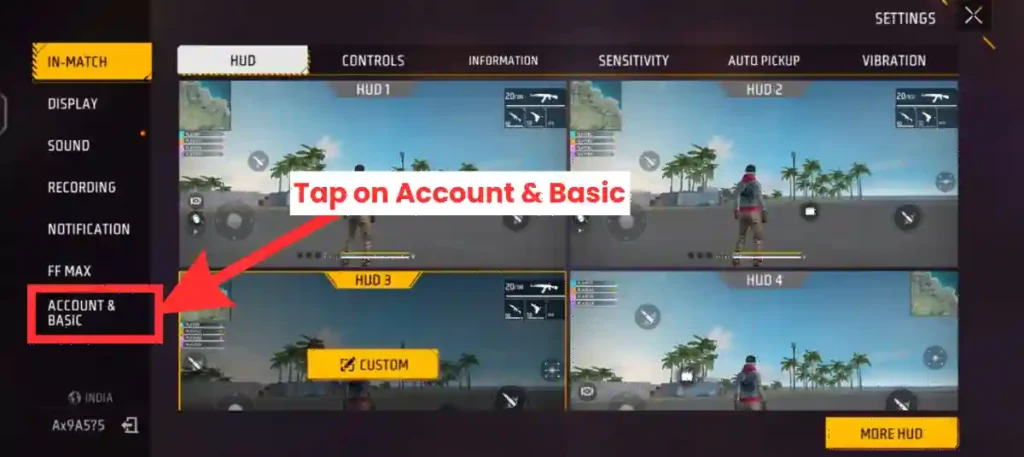
5. Tap on Bind
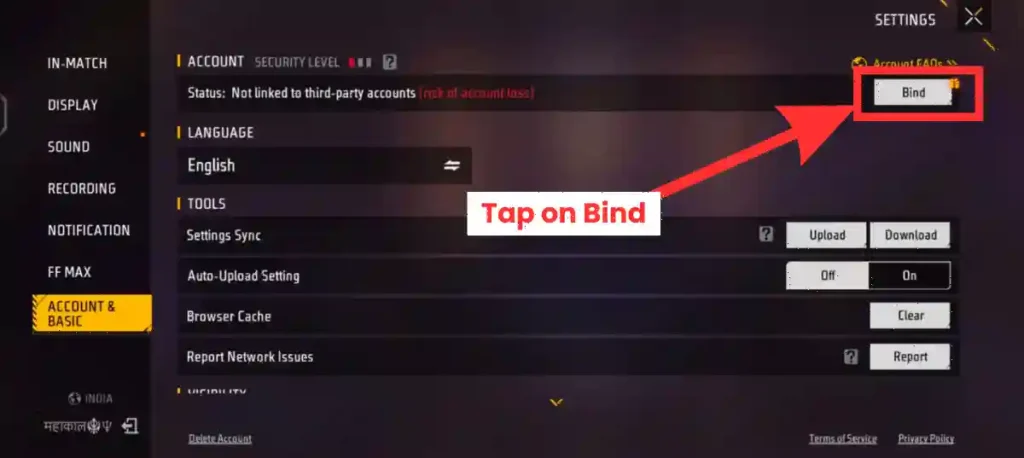
6. Choose Facebook, Google, or another option and Log through chosen platform
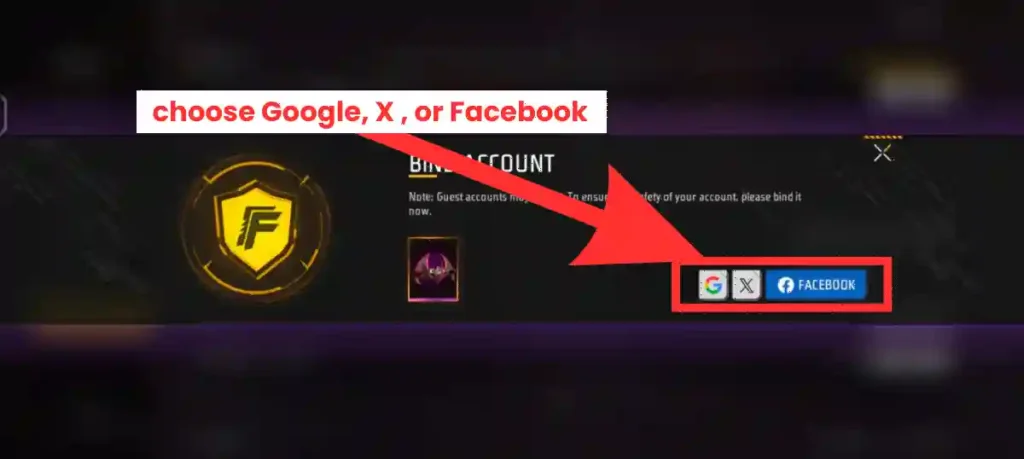
8. Also bind with Recovery email for more security
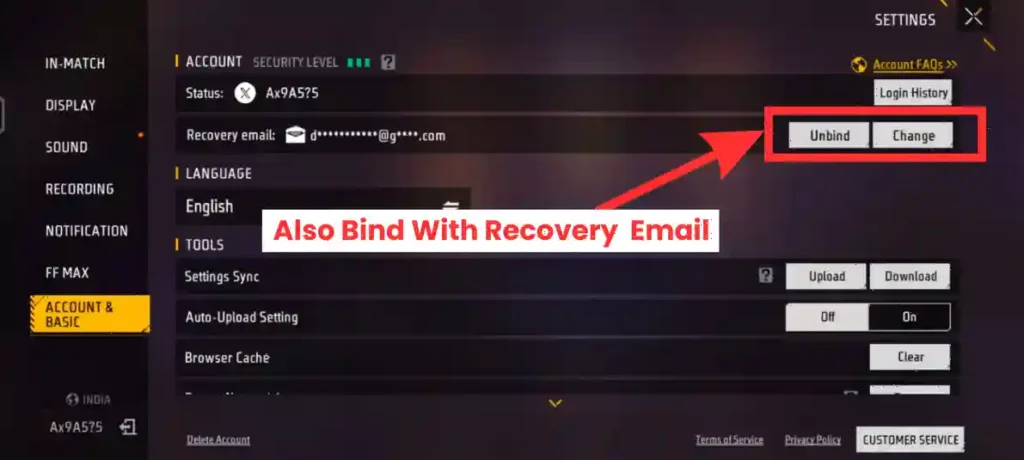
By following all these steps and binding your account to a suitable platform of your choice, make sure to verify and submit your recovery email as well. If you complete this entire process correctly then your free fire ID is completely protected.
If you bind your ID properly then if you lose your phone or forget your password in the future, you will easily recover your Free Fire ID.
Common Binding Errors and How to Fix Them?
While binding an account in Free Fire, there is only one common error occur: “The social media platform account you are trying to bind to has already been bound to another game account.”
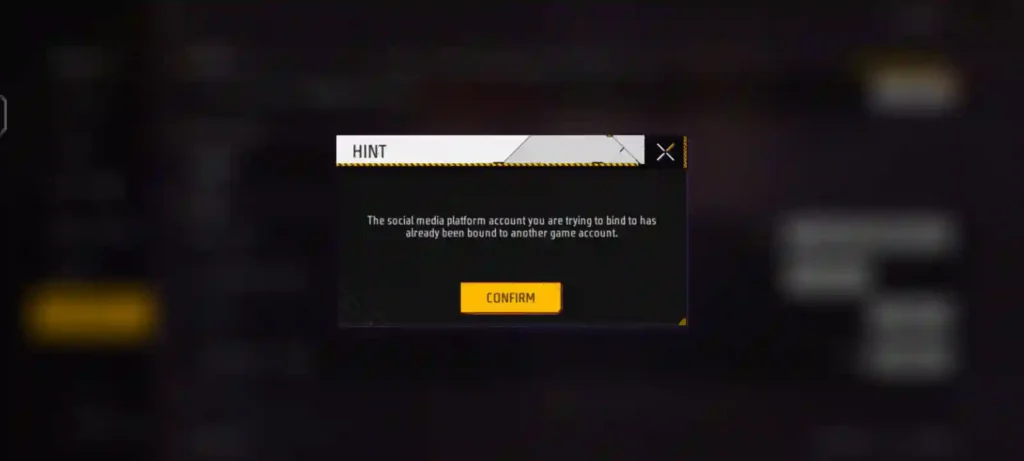
When you face like this error, first you should go to the Settings and Privacy section of that social media platform and remove or unlink the access given to Greena Free Fire. After that, try again. In many cases, this issue gets resolved.
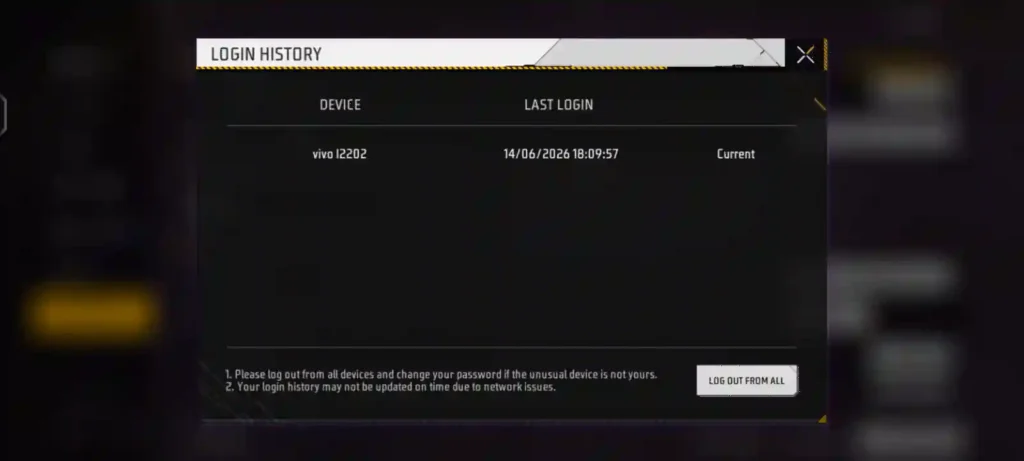
Every 5–7 days, you should check the login history by going to your Free Fire ID’s account and basic settings. If you see a login from any device other than your personal device, you should immediately log it out and change your account password as well.
Sometimes, login history may not update properly due to network issues. In such cases, first fix the network problem and then check the login history again. It is important to keep this in mind.
Final Word
Binding your Free Fire MAX ID is not optional. It is the only way to protect you id for spammers. Bind your free fire id today and enjoy your gameplay on top.
Check out our Free Fire account recovery guide for more help if issues pop up. Grab some stylish Free Fire clan names to celebrate your secured squad.
Frequently Asked Questions
No. Garena does not allow direct unbinding from one platform to another. However, if you have a recovery email bound, you can use it within the 15-day buffer period to transfer your data to a new platform account.
Your guest account is stored locally on your lost device. If you did not bind it, your progress is gone forever. Garena cannot recover guest accounts because the data never reached their servers.
No. Each Free Fire MAX profile can only be bound to one platform at a time. Choose the platform you trust most and stick with it.
The recovery email buffer period lasts 15 days from the moment you bind it. During this time, you can transfer your account to a new platform if needed. After 15 days, this option expires.
No. Binding does not change, reset, or delete any of your progress, skins, diamonds, or rank. It simply copies your local guest data to Garena’s servers and links it to your chosen platform.






Great article!
I’m pretty pⅼеassed to discover thіѕ great site.I need to to thank you for your time due to this fantastіc read!!