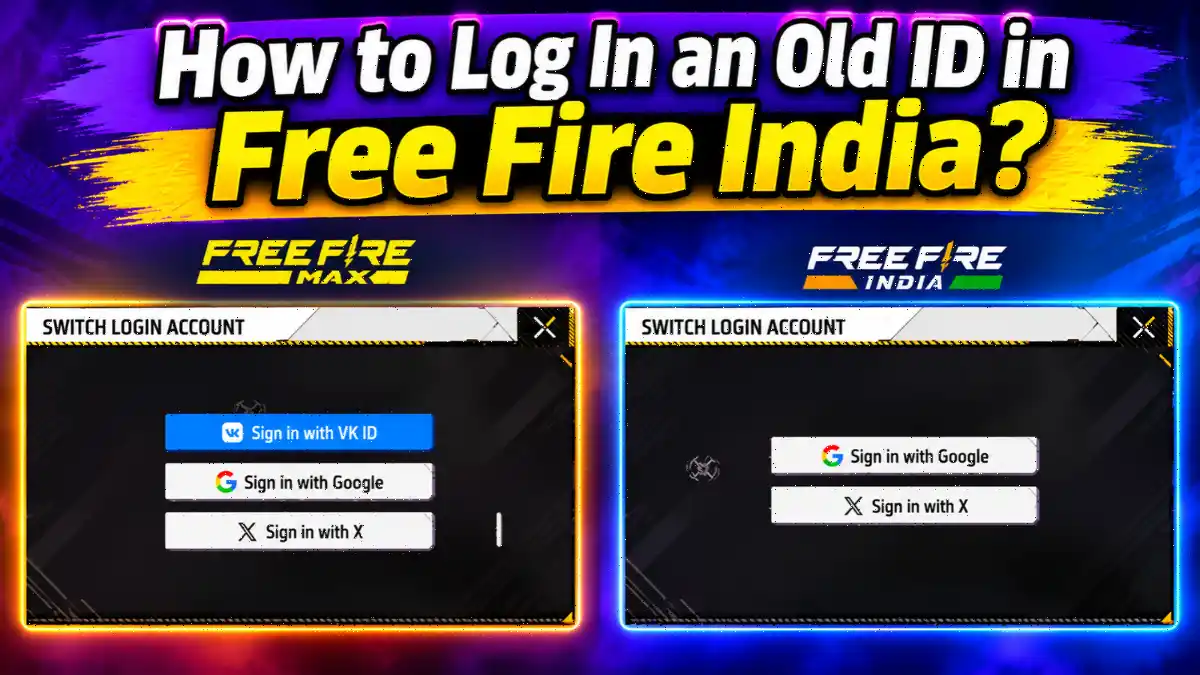
Free Fire India offers fewer login options than Free Fire MAX, creating a problem for players whose existing accounts were linked to VK ID. While Free Fire MAX supports Facebook, Google, Twitter, and VK login options, Free Fire India provides Facebook, Google, and Twitter as its available login methods.
However, there is a possible way to address this problem through account recovery and updated login details. This guide explains how players can recover their old Free Fire MAX accounts and prepare them for login through Free Fire India, including what VK-linked account holders should do.
Can You Use Your Old Free Fire MAX ID in Free Fire India?
Yes. Garena confirms the same account works on both Free Fire India and MAX. Your level, skins, and diamonds stay on that account. One rule applies: Free Fire India accepts India-region accounts only. Log in with the same platform, and your old ID loads.
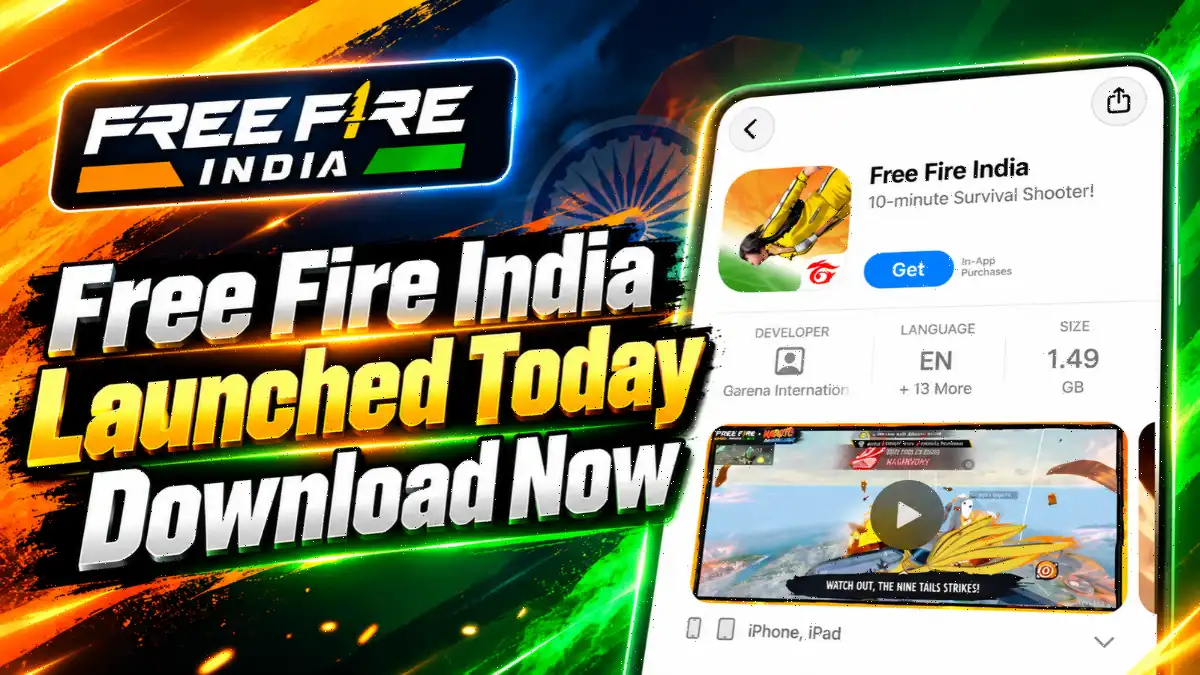
Quick backstory: India banned Free Fire in February 2022, when it had around 40 million active Indian players. Free Fire MAX escaped the ban and carried Indian players for years. Garena confirmed the launch date just a day before release. Your MAX account simply opens inside Free Fire India too.
How to Log In an Old ID in Free Fire India (Facebook, Google, X)
Open Free Fire MAX and note your UID and linked platform. Install Free Fire India from the official store. On the login screen, tap the same platform button: Facebook, Google, or X. Allow the permission, then match your nickname, UID, and level.
Follow these steps:
- Download and install the official Free Fire India application.
- Open the game on the device.
- Select the platform previously linked to the Free Fire account.
- Log in using the correct Facebook, Google, or Twitter credentials.
- Allow the required permissions and follow the on-screen instructions.
- Once authentication is complete, check whether the correct old account has opened.
Players should ensure that they select the same platform account previously linked to their game profile. Logging in through a different account may open a different character instead of the old one.
Why VK Login Is Missing in Free Fire India
Garena’s official Free Fire India FAQ is clear: VK is not supported in Free Fire India. VK was a normal MAX login option for years.
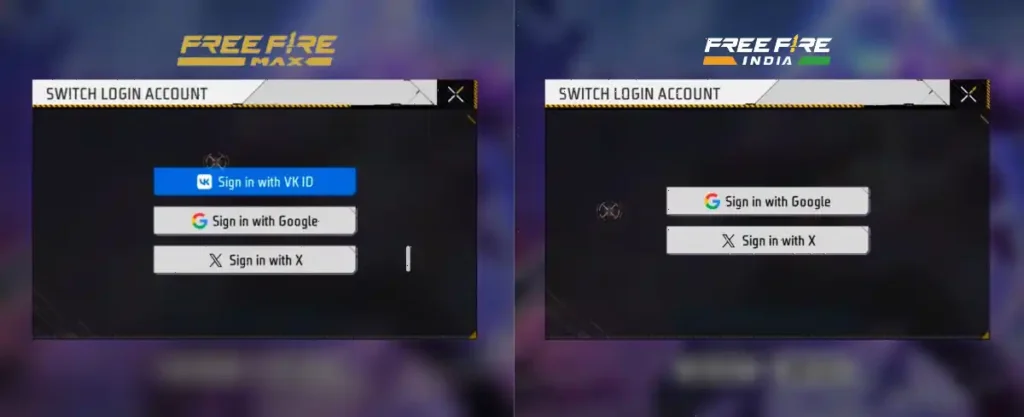
Your VK-linked ID is safe. Garena gives VK players two options: keep playing on MAX, or switch platforms through in-game account recovery.
How Do VK Players Log In an Old ID in Free Fire India?
This is the most important part of the guide for players who previously used VK ID to access their Free Fire MAX accounts.
Since Free Fire India does not support VK login, players need to change their linked login platform through Garena’s account recovery system.
Step 1: Open Free Fire MAX and Log In With VK ID
First, download Free Fire MAX on the device and open the game.
- Select the VK login option.
- Enter the VK account credentials previously linked to the Free Fire account.
- Complete the login process.
- Check that the correct old Free Fire account has opened.
It is important to access the original account before proceeding with recovery.
Step 2: Bind a Recovery Email to the Account
After successfully logging in, players should check whether a recovery email is already linked to their account.
If it is not linked, follow these steps:
- Open the Free Fire MAX settings.
- Go to the account section and select the Bind option.
- Enter a valid recovery email address.
- Request the verification code.
- Open the email inbox and enter the code received from Garena.
- Complete the verification process.
- Set a six-digit security code and keep it safe.
Garena requires a 15-day buffer period after the initial recovery email binding before it can be used to recover the account or change its linked platform.
How to Bind Free Fire MAX Account: Complete 2026 Guide
If you play Free Fire and don’t know how to bind your Free Fire MAX account or keep your game data secure, this information …
Read Full Guide →Step 3: Open the Account Recovery Option
Once the recovery email is ready and the applicable buffer period has passed, players can proceed with account recovery.
- Open the Free Fire India login screen.
- Find the Account Recovery option, generally available in the upper-left area.
- Select the recovery option.
- Enter the recovery email previously linked to the old Free Fire account.
- Request a verification code.
- Check the email inbox and enter the verification code.
Step 4: Select a New Login Platform
After successful verification, Garena displays the account information associated with the recovery email. Check the Player Name and UID carefully to ensure that the correct old account is being recovered.
Following this, select an available login platform, such as Google, Facebook, or X (Twitter), and sign in with a suitable account.
The new platform account must not already be linked to another Free Fire account. Once the process is completed, the old game account will be linked to the newly selected platform. Players can then use that platform to access their account.
Important: Free Fire India has a separate India-region account system. According to Garena’s official FAQ, Free Fire India only accepts India-region accounts, while non-India accounts must use the appropriate Free Fire version.
Therefore, changing a VK-linked login platform does not automatically convert a non-India account into an India-region account. Players should check their account region before attempting the process.
How to Change Your Name in Free Fire: Step-by-Step Guide
Many players initially create their Free Fire account using their real name, a simple nickname, or a random name without giving much thought to how it will look in the game.
Read Full Guide →Why Linking a Recovery Email Is Important for Every Free Fire Player
A recovery email is an important part of Free Fire account security. It helps players regain access when they lose access to their original Facebook, Google, VK, or other linked platform.
It also provides a way to change the primary login platform through Garena’s account recovery system.
Players should take a few precautions:
- Always bind the game account to a supported login platform.
- Add a personal recovery email that remains accessible.
- Set and safely store the six-digit security code.
- Never share verification codes or security details with anyone.
- Avoid using guest accounts for long-term gameplay.
- Regularly check account security and login activity.
Garena also recommends monitoring recovery email changes and unfamiliar device logins to protect accounts from unauthorized access.
Final Words
The absence of VK login in Free Fire India has created difficulties for players who previously accessed their Free Fire MAX accounts through VK ID. However, players who can access their old accounts and have a recovery email linked can use Garena’s Account Recovery feature to change their primary login platform.
Most importantly, players should not create a new account unnecessarily or risk losing access to their existing profiles. Checking the account UID, recovery email, and account region before completing the process can help avoid confusion.
Frequently Asked Questions
Yes. Garena says the same account works on both apps for India-region accounts. Log in with the same Facebook, Google, or X account you linked in MAX. Your level, skins, and diamonds load with it.
No. Garena’s official FAQ confirms VK is not supported in Free Fire India. Keep playing on Free Fire MAX or switch platforms. Bind a recovery email in MAX, then use Account Recovery in Free Fire India to link Google, Facebook, or X.
Yes, if you log in to the same account. Garena says the same account works on both versions, so your progress comes with it. Match your UID and nickname to confirm. A different platform can open a different account, so check before spending.
No. Garena stores guest data on your device only, so a lost phone or deleted data means the account is gone. Bind to Facebook, Google, or X before switching phones. Guests also can’t submit support tickets.
Two common reasons: you tapped a different platform, or you used Apple ID on iPhone, which creates a separate new account in Free Fire India. Log out and use Account Recovery with your bound recovery email. If that fails, contact Garena support with your original UID.