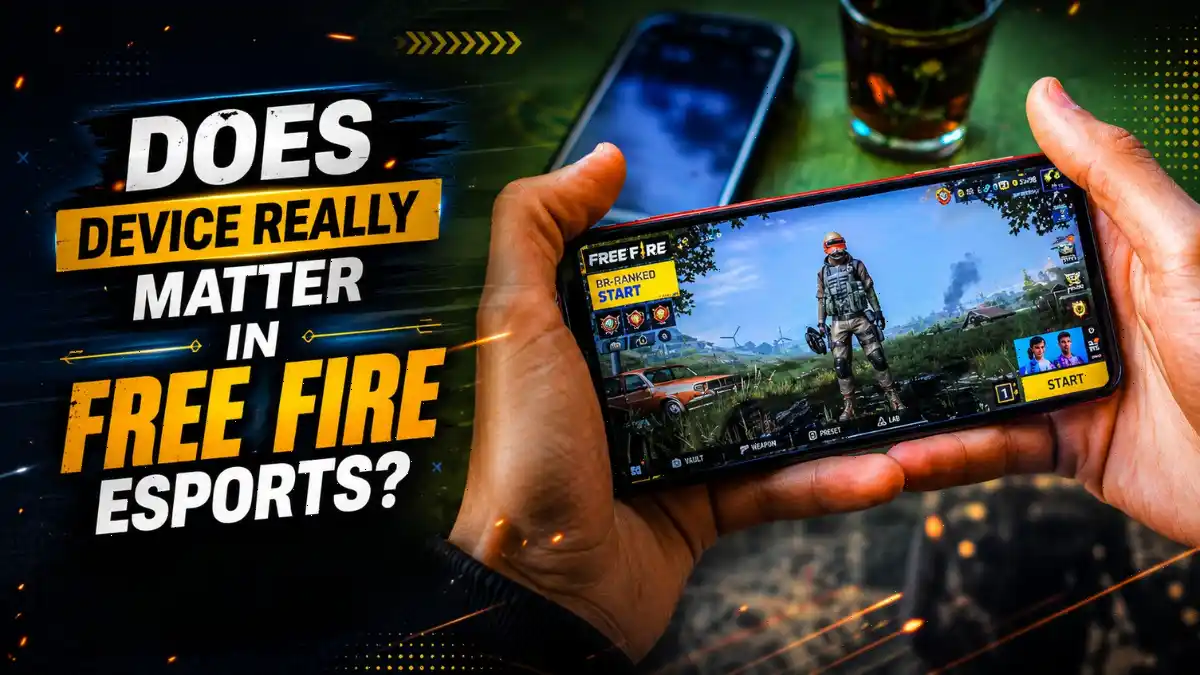
Having a good device is very important for playing Free Fire. Many players often wonder which device is best for Free Fire and what phone specifications are needed to run the game smoothly. In 2026, Free Fire is getting regular updates with many premium bundles, emotes, and other new content. Because of this, having the right device has become even more important for a smooth gaming experience.
In this blog post, I have explained what your device should have to run Free Fire smoothly and what specifications and requirements are needed for the game. I have also covered the important things to keep in mind for stable gameplay, so your phone does not heat up too much and you can enjoy the game like a pro player. All these points are covered in this blog post.
What Are the Minimum Requirements to Play Free Fire in 2026?
Garena’s official minimum requirements for Free Fire are Android 4.4 or later, 1GB RAM, and a Dual Core 1.2GHz processor. However, for competitive gaming in 2026, you need at least 4GB RAM, a 90Hz display, and a processor that can run the game at a stable 60 FPS without heating up too much.
Garena’s official requirements listed on its support page are only enough to run the game, not to help you win. According to a comparison by PCQuest, Free Fire MAX, which is played by many competitive players, requires at least 2GB RAM, while 4GB RAM is recommended for better performance.
If you are serious about esports, you can consider these specifications as a baseline in 2026: at least 4GB RAM, a Snapdragon 6-series or Dimensity 600-series processor (or better), and a display with a 90Hz refresh rate.
If your phone has less RAM than this, you may face frame drops during intense close-range fights. To learn more about RAM requirements for different games, read our guide on how much RAM you actually need for gaming.
How Much Does FPS Really Matter in Competitive Free Fire?
In Free Fire esports, 60 FPS is a basic standard for competitive play. Compared to players using 30 FPS, those playing at 60 FPS can get up to 23% better headshot consistency and 15% faster reaction time. Stable FPS is always better than peak FPS.
According to BitTopup’s 2026 performance guide, players using 60 FPS can hit headshots more consistently than those playing at 30 FPS. However, most guides miss one important point: it is not just about reaching 90 FPS or 120 FPS, but about maintaining a stable frame rate without any sudden drops or changes.
For competitive gaming, 60 to 90 FPS is considered “Good,” while 30 to 60 FPS is considered “Regular.” Competing at higher ranks with a lower FPS can be really difficult.
That is why professional players, even those using ₹80,000 phones, set their graphics to “Smooth” and FPS to “High.” Smooth graphics reduce the load on the GPU, which helps keep the frame rate stable and the phone cooler. Ultra graphics may look better, but they can cause stutters when accurate aiming matters.
In close-range fights, where snipers and shotguns can decide the match, a single frame drop can be the difference between hitting a headshot and having to respawn.
Why Does My Phone Overheat and Drop Frames During Long Sessions?
When we play Free Fire, we often notice that the phone starts getting hot. This happens because the CPU and GPU are working together, which increases the phone’s internal temperature. When the temperature reaches around 70°C, the phone may start to lag, the frame rate may drop, and the gameplay can become less smooth.
I have been playing Free Fire since around 2018. Over the years, I have noticed one thing: when the phone is under load, its temperature also changes depending on the room temperature. For example, while playing Free Fire, the phone starts getting quite hot after some time. This problem is more common during the summer months, while the phone stays comparatively cooler during winter.
Even after playing just two or three matches, the phone’s temperature can rise quite a lot. We can see this in many esports tournaments as well. Players may be sitting in an air-conditioned room, but they still keep a small fan in front of them to reduce mobile heating.
This makes it clear that maintaining both room temperature and phone temperature is important for better game performance. If the phone gets too hot, the game may start lagging after some time, which can affect the gameplay experience. So, while playing, keep the room temperature comfortable and try to prevent the phone from getting too hot. This can help maintain smooth gameplay for longer.
For more detailed fixes, check our Free Fire lag fix for low-end devices which covers Game Mode settings and cache clearing.
Is Touch Response Rate More Important Than Refresh Rate?
Both are important, but they work differently. The refresh rate (90Hz or higher) makes the game visuals look smoother, while the touch sampling rate (240Hz or higher) helps the screen detect your finger movements faster. For competitive Free Fire, both need to work well together. Even a 120Hz display with only a 120Hz touch sampling rate can feel slow when it comes to touch response.
Research by DXOMARK on touch-to-display response shows that the delay between touching the screen and seeing the response in the game can make the difference between a good phone and a great gaming phone. MakeUseOf’s 2026 guide recommends at least a 240Hz touch sampling rate for competitive gaming, while premium gaming phones offer 720Hz or higher.
Many Indian gamers make one mistake: they see “90Hz display” in a phone’s specifications and assume it is a gaming phone. But if the touch sampling rate is only 120Hz or 180Hz, there can be a delay in touch response during drag shots and flick headshots. When you are in a close-range fight with a shotgun or sniper, even a small delay can make the difference between hitting and missing a headshot. So, before buying a phone, always check both the refresh rate and the touch sampling rate.
Do You Really Need an iPhone to Play Free Fire Smoothly?
No, you do not need an iPhone to play Free Fire smoothly. Many budget Android phones under ₹15,000 now come with a 90Hz display, 4GB or 6GB of RAM, and processors that can run Free Fire smoothly at 60 FPS. Top players like Shoto from Apex Gaming also compete at the highest level using Android devices.
The idea that “only iPhones are good” should be left behind now. Yes, iPhones offer excellent optimization and touch response, but they are not the only option. According to media reports, some of the best phones under ₹15,000 include the iQOO Z10x 5G, Vivo T4x 5G, and Poco M7 Plus 5G. All three come with 90Hz or 120Hz displays, 4GB to 6GB of RAM, and processors that can deliver a stable 60 FPS in Free Fire.
The Right Settings Matter More Than Your Device Price
Even the best phone can lag if your settings are not right. Professional players usually use Smooth graphics with High FPS. It is not because they cannot afford a better phone, but because Smooth graphics reduce the load on the GPU. This allows the GPU to focus more on maintaining a stable frame rate instead of better visual effects and shadows.
Your sensitivity setup is just as important as your hardware. We have tested sensitivity values across multiple RAM tiers in our best sensitivity for Free Fire one-tap headshot guide. If your phone has 2GB to 4GB RAM, you need higher sensitivity values to compensate for touch lag. If you have 6GB or more, lower values give you pinpoint control.
Beyond sensitivity, your HUD layout and control settings decide how fast you can react. Check our guides on best Free Fire control settings and best custom HUD in Free Fire to optimize your layout. Muscle memory built on the right settings will always beat raw hardware. A ₹10,000 phone with perfect settings and daily practice will outperform a ₹50,000 phone with default settings and no training.
How to Use AI to Pick the Best Free Fire Phone in 2026?
If you have shortlisted three or four phones but cannot decide which one is best for Free Fire, let AI handle the difficult part. Here is a prompt that you can copy and paste into ChatGPT, Claude, or any other AI assistant:
Copy this prompt:
I want to buy one smartphone from a shortlist I will provide. Compare all the phones and recommend only ONE as the best choice.
My main priority is playing Free Fire smoothly, so evaluate the processor/GPU, stable FPS, heating, RAM, display, battery, and sustained gaming performance. Also consider current price and overall value for money.
First, check Garena’s current Free Fire requirements, then compare my shortlisted phones using verified specifications, current prices, and reliable gaming/benchmark data.
Give me:
- A short comparison table
- Best phone for Free Fire
- Best value-for-money option
- One final recommendation: BUY THIS PHONE, with a brief reason
Now ask me: Which phones would you like to compare?
Think before answering (maximum reasoning)
After pasting the prompt, add the list of phones you have shortlisted. Also include the specifications of the phones you have chosen based on your budget. The AI will then explain in detail which phone you should consider, which one offers the best value for money, and everything else you need to know about those phones.
Final word
Having a good device is very important for playing Free Fire. Even if you have great skills and play well, you may not be able to use those skills properly if your device does not perform well. In this blog post, we have covered everything every player should know, especially why having the right device for Free Fire matters and how much it can affect your gameplay.
If you found this guide helpful, explore more Free Fire tips and performance guides on Gaming News Lab.
Frequently Asked Questions
Garena’s official minimum is 1GB RAM, but that only runs the basic version of the game. For Free Fire MAX and competitive play in 2026, you need at least 4GB RAM. Anything less causes frame drops during intense fights and makes multitasking impossible.
You can run the game, but competing in esports on a 2GB RAM phone is extremely difficult. You will face constant lag, app crashes, and thermal throttling. If esports is your goal, upgrade to at least 4GB RAM.
Heat is the enemy of performance. In summer, higher ambient temperatures push your phone closer to its thermal limit faster. When internal temperature crosses 70°C, your processor slows itself down to prevent damage. This process, called thermal throttling, causes frame drops and lag spikes.
60 FPS is the competitive baseline and enough for 99% of players. While 90 FPS feels smoother, stability matters more than peak numbers. A phone that holds a stable 60 FPS beats a phone that hits 90 FPS but drops to 40 FPS during fights.