
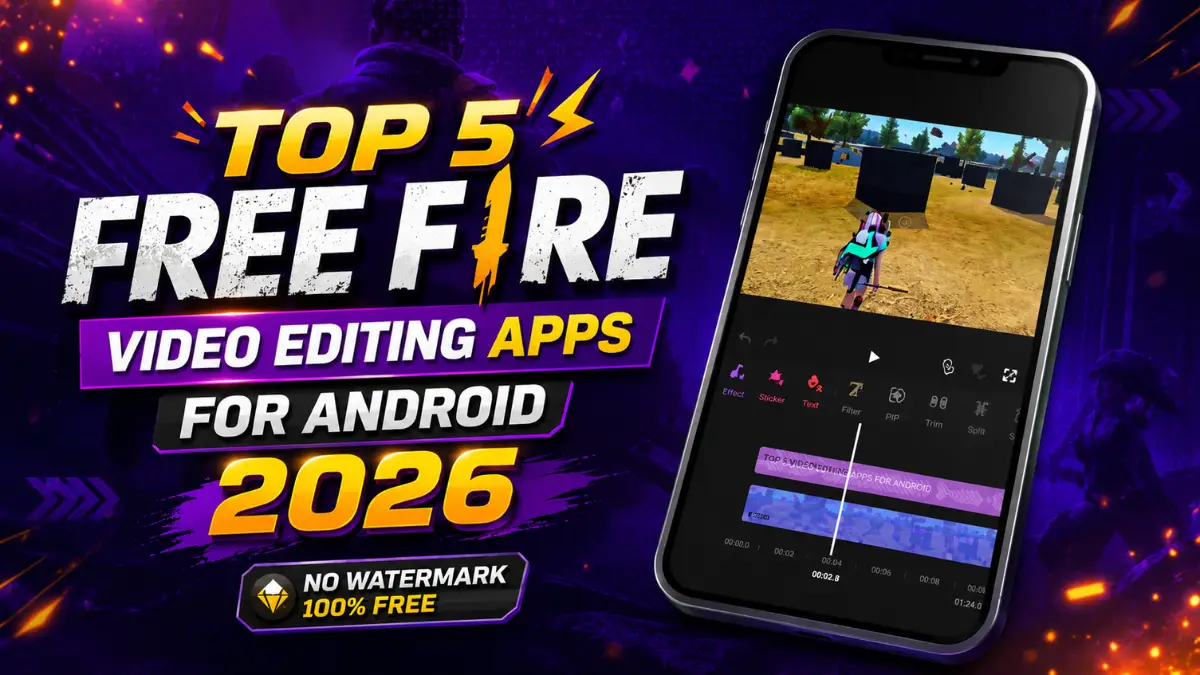
When a Free Fire player edits gameplay, whether it is a tips video or a montage, mobile editing comes with problems. Many apps don’t support 4K export. Video quality drops after exporting. 9:16 clips decrease sharpness.
In this blog post, we have listed the top 5 video editing apps that are completely free and very easy to use. With these apps, you can create Free Fire videos with great transitions, slow motion, background music, and high video quality for professional-level editing. The best part is that all of these apps are 100% free.
Which Free Video Editing Apps Should You Use?
VN Video Editor, YouCut, InShot, KineMaster, and VLLO are the five best free video editing apps for Free Fire players on Android. All are available on the Google Play Store in India, work without a VPN, and cover every editing need from basic Reels to advanced montages.
Here is the complete feature comparison:
| Feature | VN Video Editor | YouCut | InShot | KineMaster | VLLO |
|---|---|---|---|---|---|
| Free or Freemium | 100% Free | 100% Free | Freemium | Freemium | Free |
| Watermark | No | No | Yes (Ad removable) | Yes (Free) | No |
| 1080p / 4K Export | 4K 60fps | 4K | 1080p free | 4K (Paid) | 4K |
| Auto Captions | Yes | Yes | Yes | Yes | Yes |
| Keyframes | Yes | Basic | Yes | Yes | Yes |
| Chroma Key | Yes | Yes | No (Pro only) | Yes | Yes |
| Velocity / Speed Ramp | Yes (Curve) | Yes (0.2x to 100x) | Basic | Yes | Yes |
| Beat Sync | Yes | Yes | No | Yes | Yes |
| Free Fire Montages | Excellent | Very Good | Good | Excellent (Paid) | Good |
| Reels / Shorts | Excellent | Good | Excellent | Good | Excellent |
| App Size | ~150 MB | ~80 MB | ~120 MB | ~200 MB | ~100 MB |
| RAM Needed | 4GB+ | 2GB+ | 3GB+ | 4GB+ | 3GB+ |
What Makes VN Video Editor the Top Free Choice?
VN Video Editor is the best free option with no watermark, 4K export, keyframes, chroma key, and beat sync. It is available on the Google Play Store in India and works without a VPN.
VN is completely free with no watermark. You can export in 4K at 60fps. It has auto captions, keyframes, chroma key, and curve-based speed ramping. It also has beat sync to match clips with music.
For Free Fire montages, VN is excellent. The multi-layer timeline lets you stack kill clips and sync to the beat. It supports 9:16 Reels without losing quality. A 2026 Pixflow review called VN the “best free editor with no watermark.”
How Does YouCut Run on Low-End Phones?
YouCut is a lightweight, free editor with no watermark, chroma key, speed ramping from 0.2x to 100x, and 4K export. It runs smoothly on low-end Android devices.
YouCut is 100% free with no watermark. It exports up to 4K. You get chroma key, speed control, and auto captions. It runs well on phones with 2GB to 4GB RAM.
For Free Fire players on budget phones, YouCut is a solid pick. It handles vertical video and has templates for Reels. A 2026 Oscal review noted YouCut’s “watermark-free export policy” and compatibility with older phones.
Is InShot Good Enough for Reels?
InShot is the easiest video editor for beginners who want to create Free Fire Reels quickly. The free version has a watermark, but you can remove it by watching an ad. It supports keyframes and 1080p export.
InShot is freemium. The free version exports with a watermark unless you watch an ad. It supports 1080p, keyframes, and speed adjustments. It does not have chroma key in the free version.
For beginners who want to post clips to Instagram Reels, InShot is perfect. But for advanced montages with velocity edits, VN or YouCut are better.
Should You Pay for KineMaster or Try VLLO?
KineMaster offers advanced multi-layer editing and chroma key, but the free version adds a large watermark. You need a subscription for clean exports. VLLO is a free alternative with no watermark and strong Reels support.
KineMaster is a freemium app. Its free version comes with a watermark. It supports features like 4K export, multi-layer editing, Chroma Key, and Speed Ramping. According to the 2026 TrueFan analysis, the KineMaster subscription price in India has recently increased by 15%.
If you are a serious creator who needs full control, KineMaster is worth the price. But VN and YouCut give you 90% of the features for free.
VLLO is available for free without a watermark. It offers features like 4K export, Auto Caption, Chroma Key, and trending templates. It is a great choice for people who create vlogs and trending reels every day.
Which App Is Best for Different Types of Free Fire Players?
| Player Type | Best App | Why |
|---|---|---|
| Beginner (first time editing) | InShot | Easiest interface, learn in 5 minutes |
| Budget phone (2 to 4GB RAM) | YouCut | Lightest app, no lag, 4K export |
| Montage editor (velocity + beat sync) | VN | CapCut-level features for free |
| Pro creator (can pay monthly) | KineMaster | Most advanced control |
| Reels / Shorts creator | VLLO | Trending templates and stickers |
| “Just need 4K, no watermark” | VN | One app, all solutions |
Final Word
You do not need CapCut or a VPN to create great Free Fire content. VN and YouCut are truly free and powerful apps that are still available on the Play Store. If you want more editing control, choose VN. If you have a budget phone, YouCut is a great option. If you want to start editing quickly, go with InShot.
Choose KineMaster only if you are ready to pay for its pro features. If you want to create trendy Reels, VLLO is a good choice.
Check our Free Fire lag fix guide for performance tips. Read our guide on how to record gaming videos for YouTube to capture better clips first. And see our full list of gaming video editing software for more options.
Frequently Asked Questions
CapCut is not officially available in India. It was removed from the Indian Google Play Store in 2020 under the Information Technology Act.
Yes. VN Video Editor, YouCut, and VLLO all offer free editing with no watermark and 4K export.
VN Video Editor is the best free choice. It has curve-based speed ramping and automatic beat detection.
Yes. YouCut is built for low-end Android devices with 4GB RAM or less. VN and InShot also work on budget phones.
No. Downloading from third-party APK websites or Telegram can be a security risk. These files can contain malware. Always use the Google Play Store.



Awesome! Its genuinely remarkable post, I have got much clear idea regarding from this post about best video editing apps.
Awesome! Its genuinely remarkable post, I have got much clear idea regarding Free Fire video editing apps.
InShot is my fav video editing app.
Nice post. I learn something totally new and challenging on websites
I do not even understand how I ended up here, but I assumed this publish used to be great
Good post! We will be linking to this particularly great post on our site. Keep up the great writing
Leave 100091758676202S40a7S9Ucbxw6v