If you want to create your Free Fire ID like a pro and attitude-style profile photo, it has now become easier than ever.By the end of 2025, the biggest trend is using AI tools, especially ChatGPT’s image generation to create cinematic and high-impact profile edits.
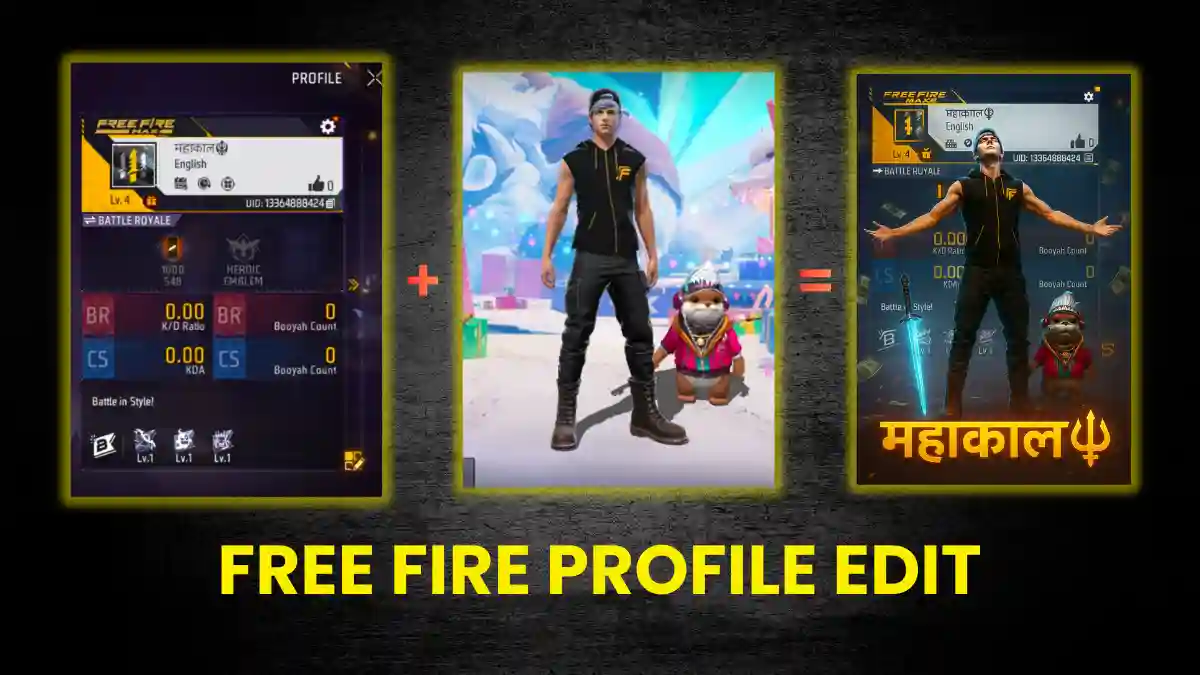
For this type of editing, you usually need to give a prompt and upload your Free Fire profile’s screenshot. AI tools like ChatGPT then handle the rest of the process. The result is a chic and custom profile image.
This guide explains every step in detail to help you achieve professional-level results, so you can create amazing, viral-worthy posters for your Instagram, WhatsApp, or gaming profiles.
What is Free Fire Profile Editing?
Making cool posters means changing how your Free Fire profile looks. They usually show your stats, rank, ID, and character in a cool, like a movie scene.
In 2025, thanks to improved AI image generation, anyone can create a pro-level FF MAX cinematic edit in just two minutes. These AI-edited posters receive 3× more engagement on social media than regular screenshots.
Step-by-Step Guide to Use ChatGPT Prompt
- Capture high-resolution screenshots in Free Fire and one of your preferred character in a suitable pose.
- Go on www.chatgpt.com and then click on ‘+‘ and select create Image
- Upload both images by clicking on . ‘+‘ and select Add photo and files
- Paste a customized prompt (examples below).
- Image is generated then Download the result and use it as your profile poster.
RELATED POST- Best Custom HUD in Free Fire (2025): Top 2, 3, 4 Finger Layouts and Pro Codes
Best Free Fire ChatGPT Prompts
Prompt 1: Single colour theme
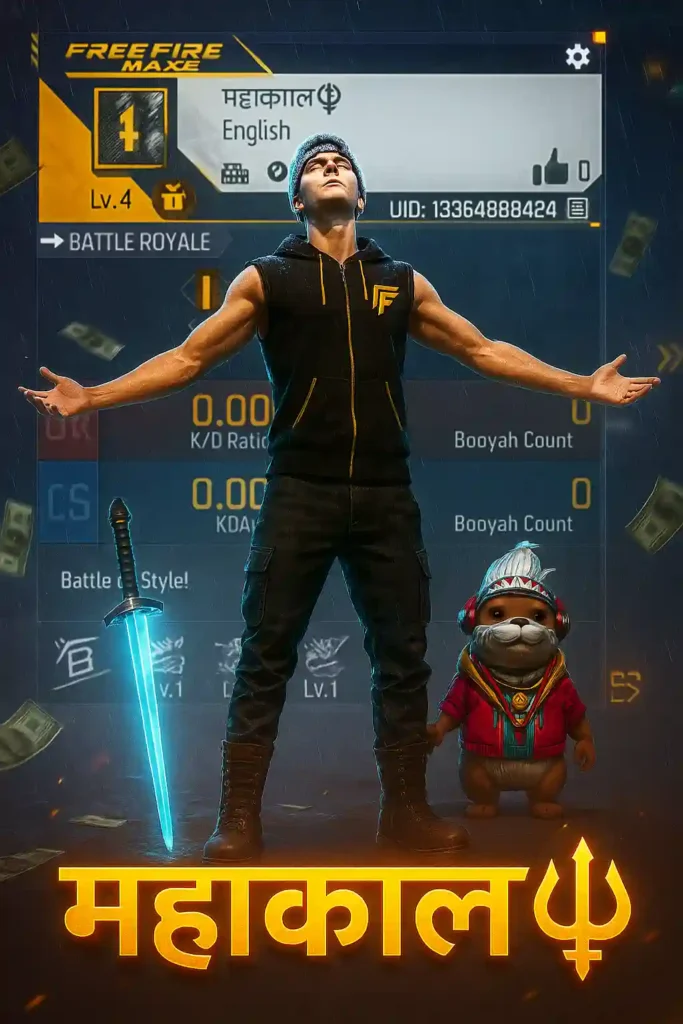
Create a cinematic digital poster for a Free Fire MAX player. In the background, clearly display the uploaded profile screenshot without hiding or blurring any part. The image should remain sharp and readable – every detail that naturally appears in the profile (such as stats, icons, text, badges, numbers, tags, buttons) must be fully visible and understandable to the viewer. In the foreground, place the uploaded character image standing in a proud, victorious pose – with both arms stretched outward (T-pose). The character’s head is tilted slightly upward, facing the sky, giving a heroic and thankful expression. Include a glowing blue sword by his side and his pet standing nearby. Add dramatic rain, flying money, cinematic glow, and soft shadows to enhance the atmosphere. Use contrast to make sure both the character and the profile are clearly visible and not overlapping confusingly. In the center of the poster, overlay bold, glowing, 3D gaming-style text “*YOUR TEXT*” with a yellow
Prompt 2: Cinematic Rain Poster
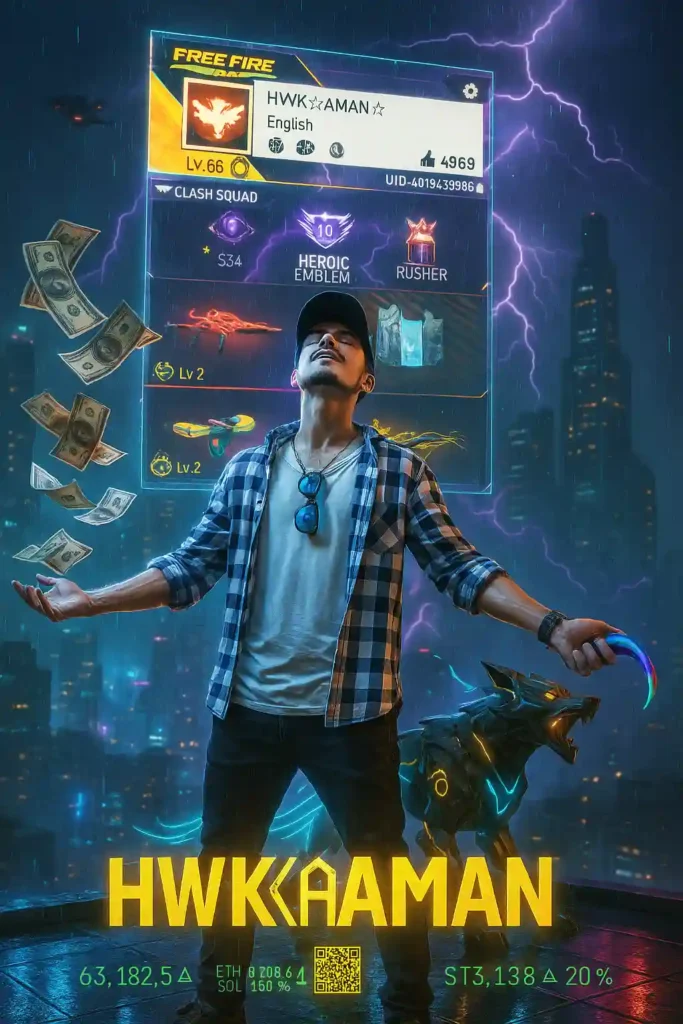
Free Fire Max Player. In the background, clearly display the uploaded profile screenshot without hiding or blurring any part. The image should remain sharp and readable –every detail that naturally appears in the profile (such as stats, icons, text, badges, numbers, tags, button) must be fully visible and understandable to the viewer. In the foreground, place the uploaded character image standing in a proud, victorious pose with both arms stretched outward (T pose). The character’s head is tilted slightly upward, facing the sky giving a heroic and thankful expression. Include a glowing blue sword by his side and his pet standing nearby. Add dramatic rain, flaying money, cinematic glow, and soft shadows to enhance the atmosphere. Use contrast to make sure both the character and the profile are clearly visible and not overlapping confusingly.in the centre of the poster overlay bold, glowing, 3D gaming-style text “YOUR TEXT” with a
RELATED POST- Free Fire Diamond Top-Up Guide (2026): Safest Methods, Current Prices & Step-by-Step Instructions
Prompt 3: Dark background

Create a cinematic digital poster for a Free Fire MAX player. In the background, clearly display the uploaded profile screenshot without hiding or blurring any part. The image should remain sharp and readable – every detail that naturally appears in the profile (such as stats, icons, text, badges, numbers, tags, buttons) must be fully visible and understandable to the viewer. In the foreground, place the uploaded character image standing in a proud, victorious pose – with both arms stretched outward (T-pose). The character’s head is tilted slightly upward, facing the sky, giving a heroic and thankful expression. Include a glowing blue sword by his side and his pet standing nearby.
Add dramatic rain, flying money, cinematic glow, and soft shadows to enhance the atmosphere. Use contrast to make sure both the character and the profile are clearly visible and not overlapping confusingly. In the center of the poster, overlay bold, glowing, 3D gaming-style text “your text” with a yellow
Prompt 4: Neon Night Version
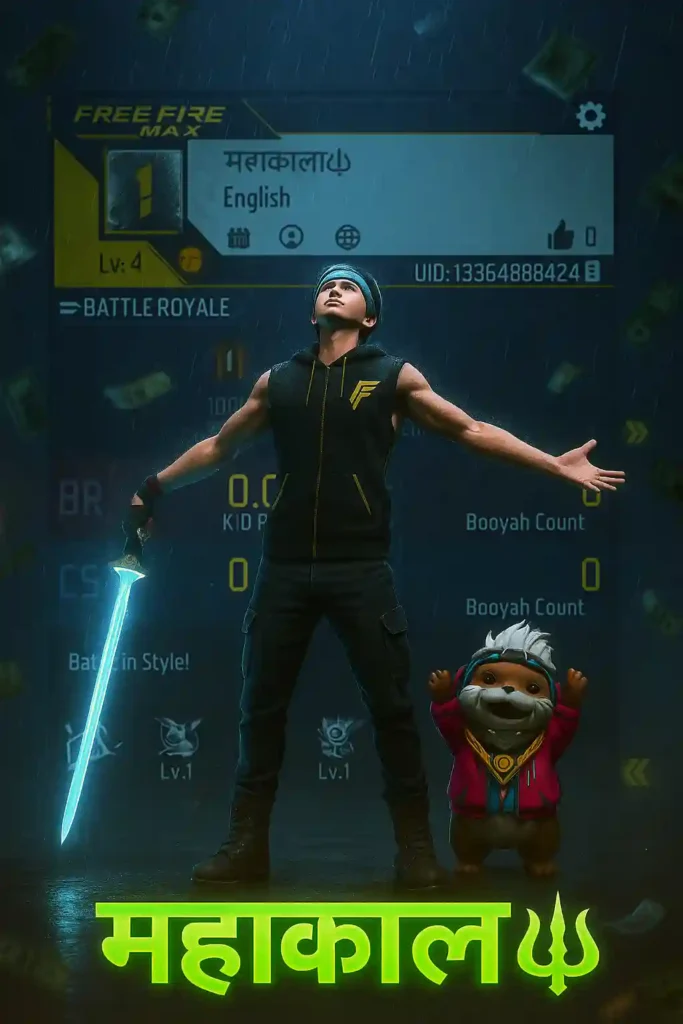
Soft shadow to exchange the atmosphere. use contrast to make sure both the character and the profile are clearly visible and not overlapping confusingly. In the center of the poster. overlay bold , glowing.3D gaming-style text “your text” with a yellow.
Prompt 5: HD Image
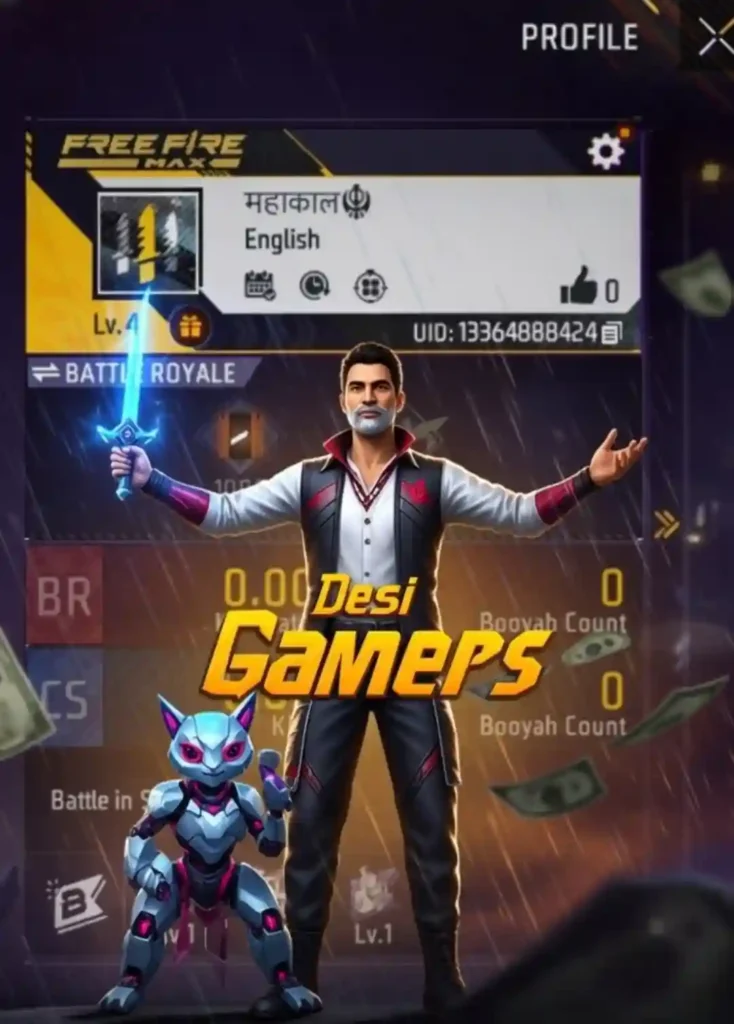
A digital painting shows a Free Fire MAX player standing proudly with arms outstretched in the rain. The character from the uploaded image is in the center, holding a glowing blue sword with a robotic pet beside him. Behind him, the uploaded Free Fire profile screenshot is clearly visible and slightly blurred as the background. Flying money or rain enhances the dramatic effect. Add the bold stylish gaming font text in the center with neon effect:
“Your text” using yellow-orange 3D-style font. The atmosphere should feel like a grand achievement moment.
Free Fire Profile Edit Tips
- Use a dark background.
- Maintain one main color theme.
- Keep fire or smoke effects to a minimum.
- Keep the name text small.
- Upload an HD image.
Following these tips will make your profile picture look 100% professional.
Final Words
If you truly want to establish yourself as a pro player in Free Fire, editing your Free Fire profile is essential. Today, you learned how to edit your Free Fire profile in HD quality, in a pro player style, with the help of ChatGPT. So what are you waiting for? Change your Free Fire profile picture today and create your unique identity in the game!
Frequently Asked Questions
Yes, you upload your own screenshots and character images; no third-party app is needed → zero risk of being banned.
Usually 15-30 seconds, but downloading in HD can take up to 1 minute.
ChatGPT does not add watermarks to images, but you can mention “no watermark” in the prompt if you prefer.
Absolutely, the screenshots for both FF MAX and normal Free Fire are the same.