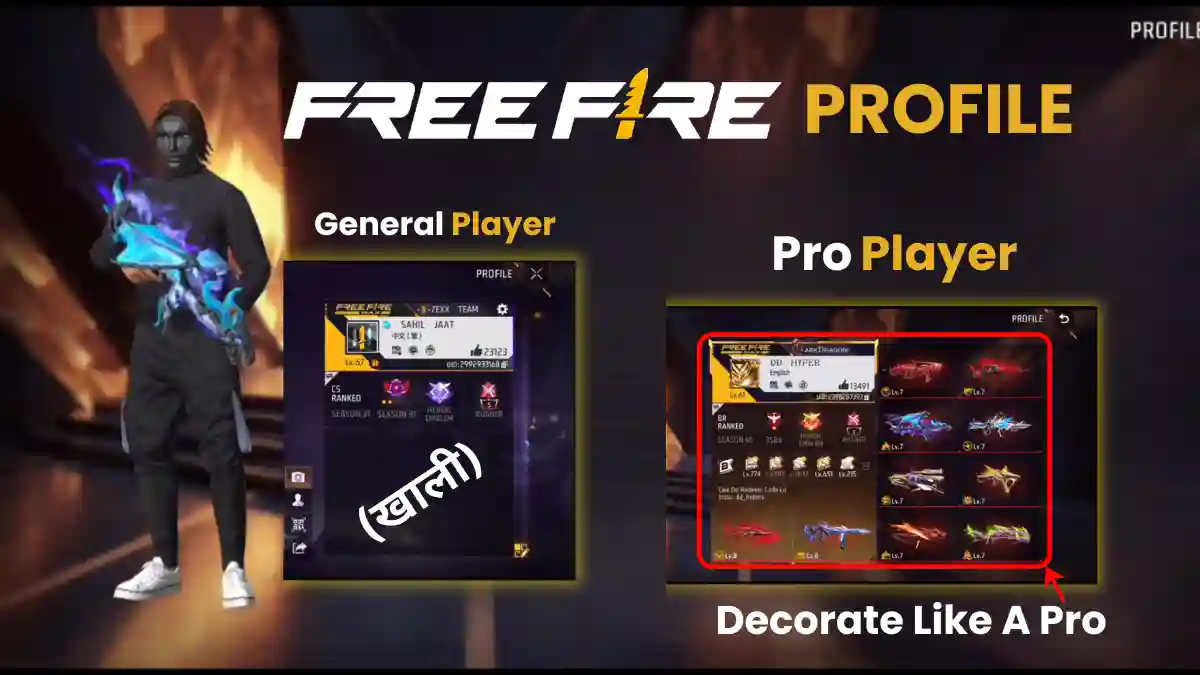
Do you play Free Fire and are wondering how to make your profile look like a pro player’s? Are you confused about how to choose the right character, equip gun skins, and properly set your avatar, banner, and pet? If you’re struggling with these questions and want to know how to create a professional-looking profile,
Then you don’t need to worry anymore. In this article, I’m going to give you a complete step-by-step guide that will help you transform your Free Fire profile from a normal one into a professional profile just like a pro player’s.
Here is Step by Step Guide
Step 1: Choose the right character and pet
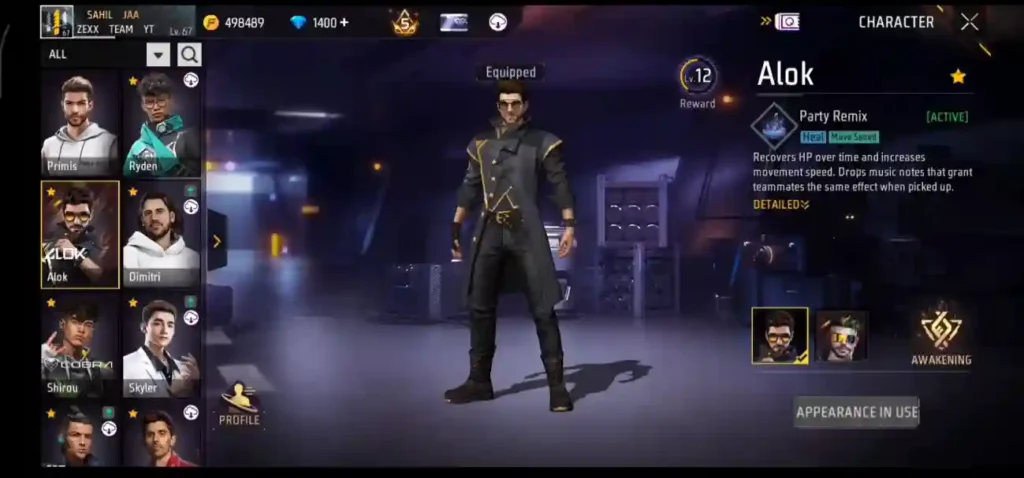
When another player views your profile, your character and pet are the first things they see.
- Choose a legendary or popular character (like Alok)
- Equip a pet that looks good
- Make sure to equip the pet’s best skin
Choosing the right character and pet makes your profile look attractive at first glance. An attractive profile helps you build your friend list faster.
RELATED POST- Best Custom HUD in Free Fire (2025): Top 2, 3, 4 Finger Layouts and Pro Codes
Step 2: Set up your personal outfit
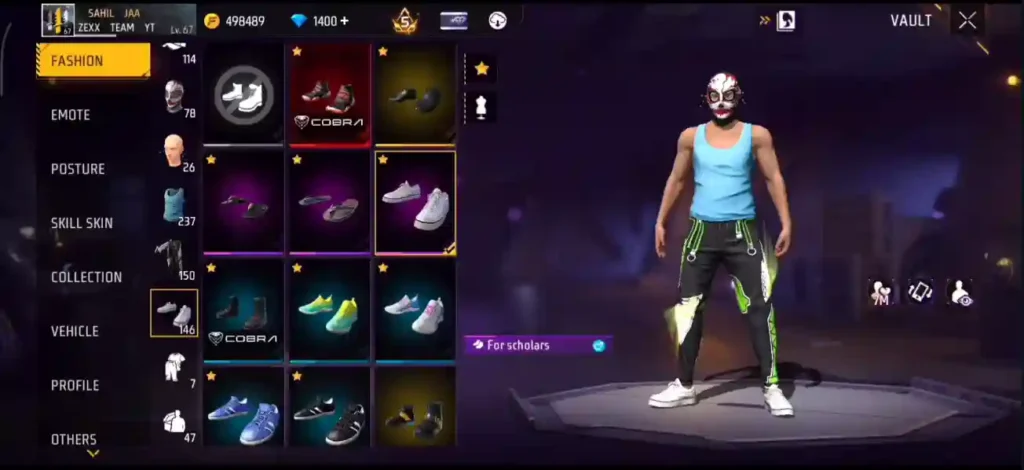
Choose clothes that are:
- Rare
- From old Elite Passes
- That create a unique identity for you
When decorating your profile, always use the outfit you wear regularly, the one you use during gameplay. Try to create a consistent profile bundle. Experts believe that a pro player’s personal outfit is a key part of their identity.
RELATED POST- 50+ Short & Punchy Gaming Quotes for Your Instagram Bio
Step 3: Equip a gun skin from the Armory
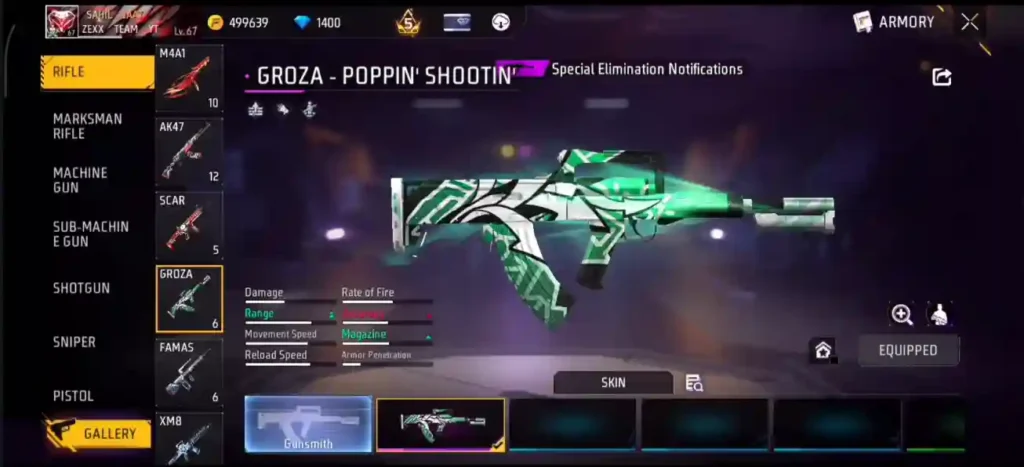
Now it’s time for weapons. Select a gun for your profile that has a max-level skin and special animations, so your profile looks really cool and attractive.
- Go to the Armory section.
- Equip a Rare or Unique Gun Skin.
- An Evo Gun is even better.
- The animations look best on a Max Level Evo Gun.
Gun skins give your profile a professional look.
Step 4: Set your avatar, banner, and pin
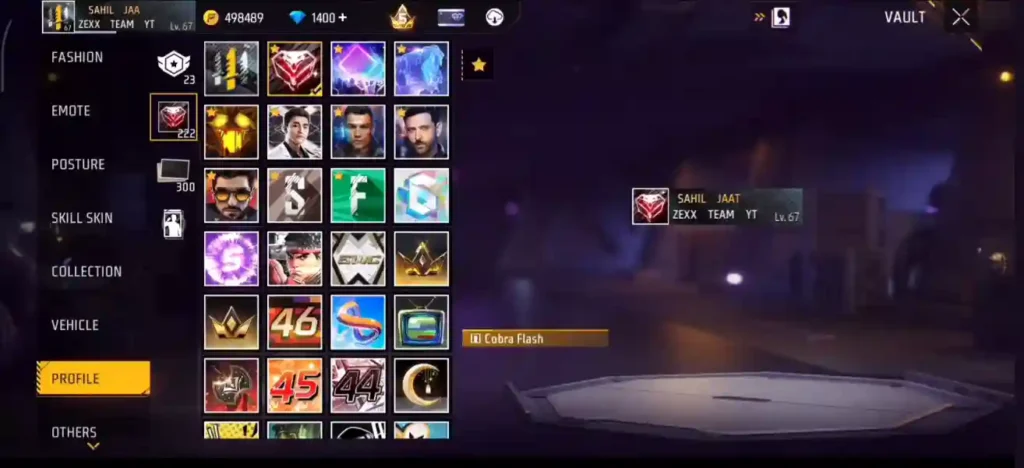
To choose an avatar, you should first select an animated avatar or banner, as animated avatars are quite good and attractive for visual decoration.
- Avatar + Banner Combo set (Same Theme)
- Cobra Avatar + Cobra Banner
- Animated Avatar/Banner prioritized
- Old/Rare Pin selected
- Bike Animation Skin applied
Why create visual profile decorations:: Impress visitors with animations on your profile.
This animation is shown when someone inspects your ID.
RELATED POST- Free Fire Diamond Top-Up Guide (2026): Safest Methods, Current Prices & Step-by-Step Instructions
Step 5: Fill out the Collection section correctly
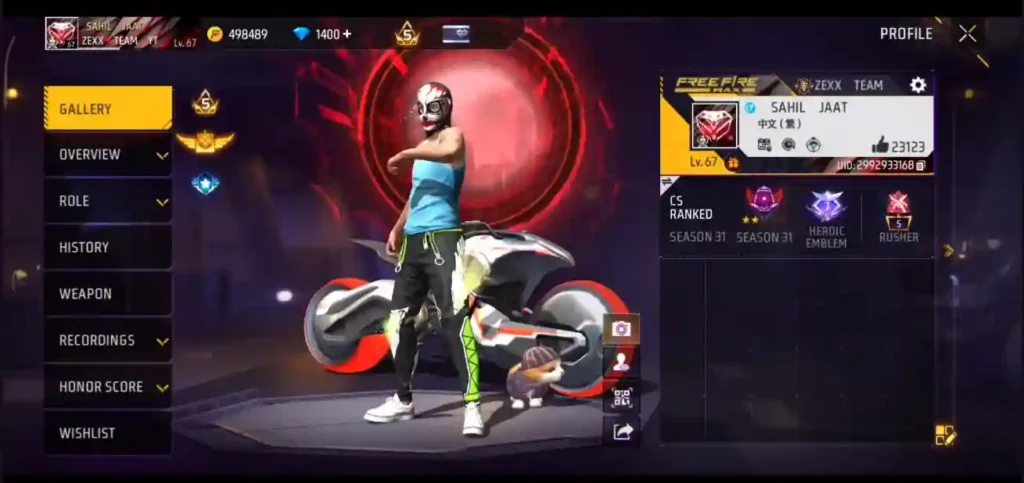
In the collection:
- Rare Items
- Old Emotes
- Valuable Items
You can display the same rare item in multiple slots. This gives your profile a premium, valuable appearance.
Step 6: Use emotes correctly
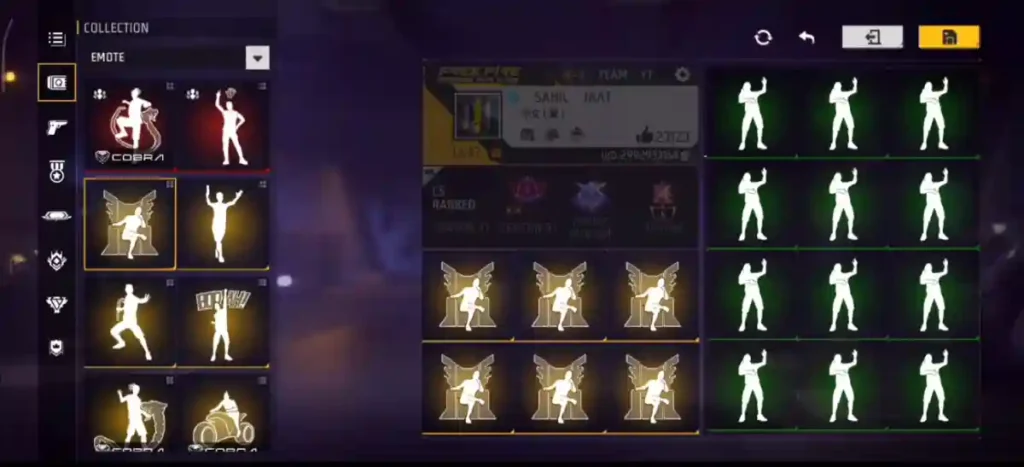
- Choose rare and old emotes.
- Emotes like Throne and LOL are more effective.
- Arrange the emotes in the correct order.
Emotes make your profile unique.
Step 7: Show off your Evo Guns and Weapon Mastery
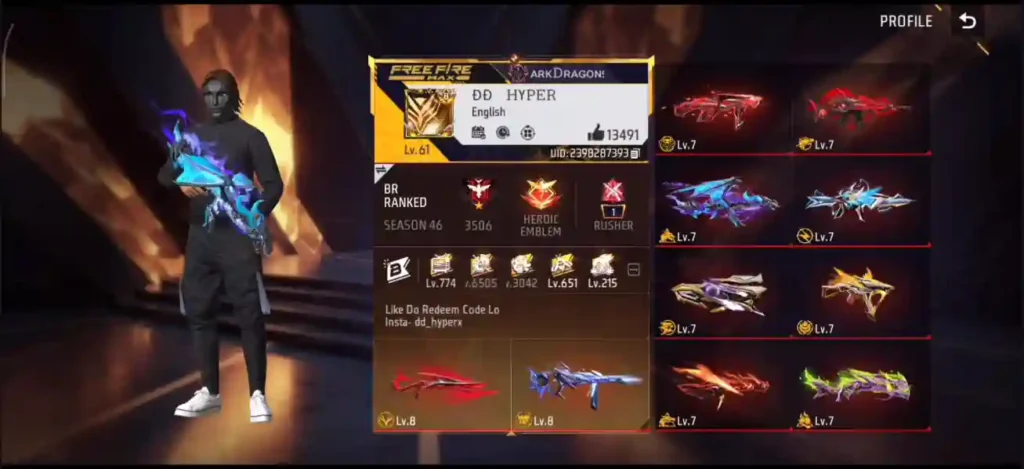
If you have a Max or High Level Evo Gun, be sure to show it off.
In the Weapon Mastery section:
- Highest Level Weapon
- Unique Gun Skin
This shows others that you are an experienced player.
Step 8: Set the title and badges correctly
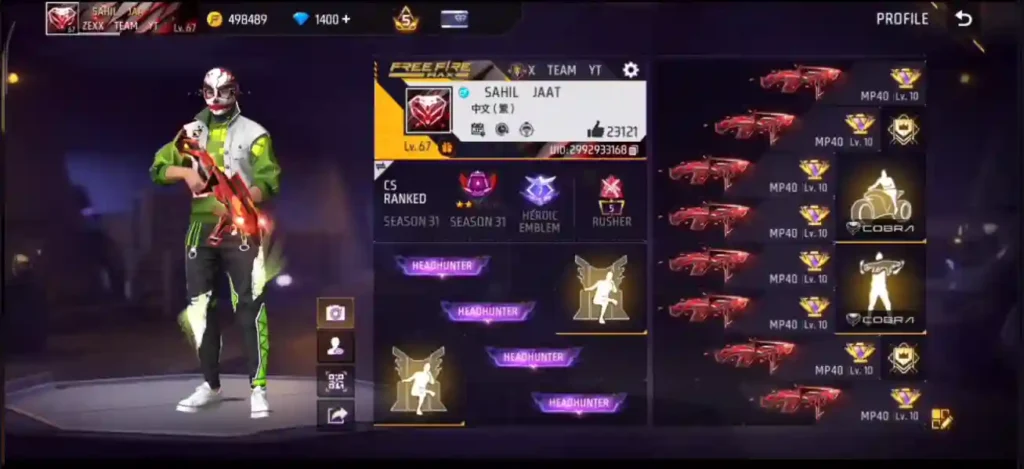
- Choose a unique title.
- Arrange the badges in the proper order (e.g., 115 / 120 / 25).
- Always maintain the badges.
This makes the profile clean and professional.
Pro Trick
To take your Free Fire profile to the next level, always keep your bio at the top. While writing your bio, it is important to focus on a few key points so that you can make it stylish, such as using special bio codes. A well-written bio truly gives your profile a unique identity.
Apart from this, creating a theme-based profile is the best way to make your profile look more professional. Choose a single theme (such as Cobra, Dragon, Fire, etc.) and arrange your avatar, banner, gun, emotes, and outfit properly according to that theme. A single-theme profile always looks more professional and attractive.
Conclusion
If you follow all the steps mentioned above correctly, your Free Fire profile will look very professional, rich, and unique. This will make your profile more engaging. Nowadays, Free Fire also has a feature that shows how many people have viewed your profile, which helps you understand how well your profile has been optimized.
A good profile not only establishes your identity but also leaves a lasting impression on others.
Frequently Asked Questions
Profile → Pen icon → change avatar, banner, pin, bio, outfit – save.
Cobra, Dragon, Fire, and Ice themes are most popular among pro players.
Yes, some events and ranked rewards give free animated avatars.
500–2000 weekly views if you follow all steps above and keep bio updated.