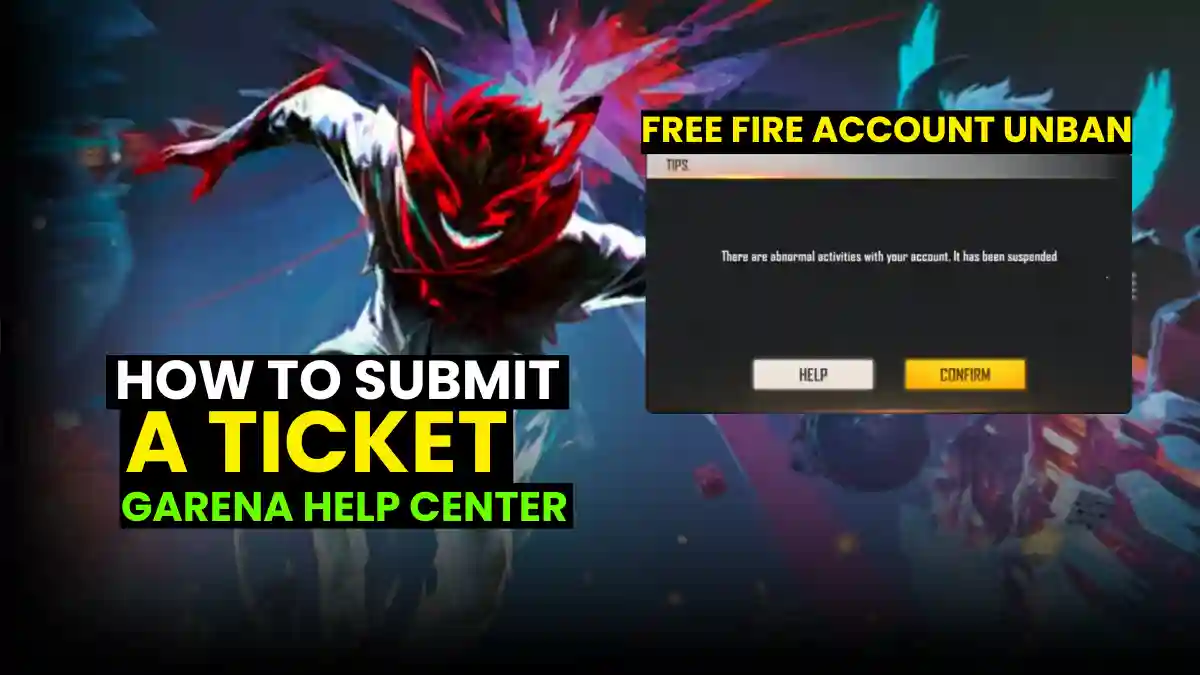
So your Free Fire account got banned. Whether you don’t know what went wrong. You search “unban hacks FF 2025” and fall into a rabbit hole of sketchy tutorials. Then come the Telegram DMs, anonymous agents promising a “100% recovery” for 500 INR. It never works. You are still banned despite losing 500 rupees.
Forget the YouTube tutorials and Telegram “agents.” This guide help you through exactly how to submit an appeal ticket that actually gets reviewed, what evidence Garena accepts, and what your chances realistically look like. Let’s get your account back.
Is Your Account Actually Banned?
First Things First, confirm your ban status. Visit Garena’s official account checker and enter your Player ID and then check your ID status.
Before we start, If your account IS banned, don’t log into it on your current phone. Garena can flag your device (HWID ban) if you repeatedly try accessing a suspended account.
Many players try risky shortcuts to gain an advantage, but the safest way to improve is to learn headshot sensitivity and master proper aiming techniques instead of using unauthorized tools.
The Official Appeal Process- Step by Step
- Open the Garena Help Center
- Use the in‑game path: Settings → Help & Support or visit the official Garena support site in your browser.
- Log in with the same account you used in Free Fire
- Facebook, Google, VK, X, or Apple ID.
- Click “Submit a Request”
- Choose your game region and select Account Issue / Ban Appeal.
- Fill in your account details carefully
- Player UID (mandatory)
- In‑game nickname
- Registered email ID
- Write Your Appeal Message
- Mention when the ban happened
- What message/error you see
- State clearly if you never used hacks, scripts, or mods
- Attach proof (very important)
- Screenshot of the ban message
- Short gameplay video (if available)
- Any match ID or transaction proof (top‑ups, events)
- Submit and wait
- You’ll receive a ticket number by email.
Example template:
“Hello, my account (UID: 123456789) was banned on [date] for ‘abnormal activities.’ I have never used cheats, mods, or third-party tools. I was playing ranked matches normally when I was disconnected and received the ban message. I’ve been playing since [year] and have purchased [X amount] in diamonds. I believe this may be a false positive from the latest anti-cheat update. I’ve attached my ban screenshot and purchase history. Please review my account. Thank you.”
Also Read- How to Submit a Request
What Screenshots/Video Proof Does Garena Actually Accept?
Garena’s support team wants specific evidence, not random gameplay clips.
What they DO accept:
- Clear screenshots of your ban notification (full screen, not cropped)
- Your Player UID visible in the screenshot
- Purchase receipts from Google Play, App Store, or Garena’s payment system
- Device security reports (antivirus scans showing no modifications)
What they DON’T accept:
- Edited or Photoshopped images (they can tell)
- Gameplay videos claiming to prove innocence (doesn’t demonstrate account status)
- Screenshots from other players’ accounts
- Receipts from third-party diamond sellers (that’s actually against ToS)
RELATED POST- Top 30+ Free Fire Attitude Quotes in English (Trending in 2026)
Can I Play on the Same Phone if My Account Is Banned?
Garena can ban two things: your account or your device’s hardware ID (HWID). Most bans are account only. Means you CAN create a new Free Fire account on the same phone and play normally.
Submit your appeal first before experimenting with new accounts. According to community reports compiled on Free Fire forums, players who immediately create alternate accounts sometimes complicate their original appeal by appearing to evade bans.
RELATED POST- Free Fire DP Attitude: How to Create a Stylish Profile Picture Using ChatGPT
Is It Possible to Recover a Banned Unlinked Account?
If your device is banned: Garena will only talk to you from the original social account linked to your Free Fire profile that’s your Facebook, Google, VK, or Apple ID. Your appeal ticket must come from there. No exceptions.
If you never linked your account to anything, you’re in a tough spot. Without that social login trail, Garena’s support has no way to verify you’re the real owner. Your ticket essentially has no identity attached to it.
Always link your account to at least one social platform. Do it now if you haven’t already.
Why Accounts Were Banned
Recent Free Fire ban notices show how Garena is acting against cheating. In one reported ban wave covering just two weeks, Garena permanently banned over 2,035,605 accounts.
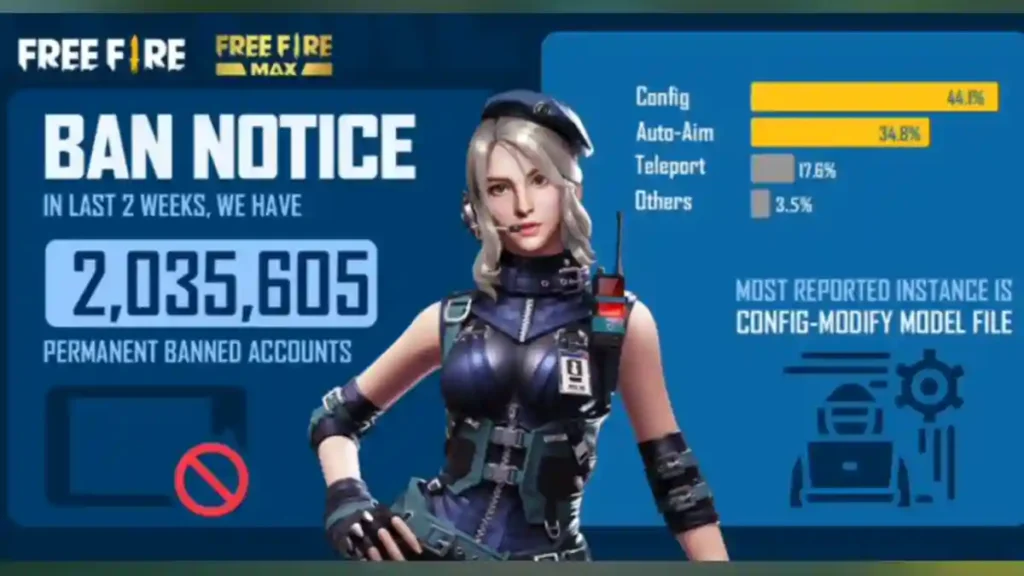
According to the ban notice data:
- 44.1% – Config / Configuration Files: Players modified game config or model files to gain unfair advantages such as reduced recoil, altered hitboxes, or boosted damage. This is the most common and most detected violation.
- 34.8% – Auto-Aim: Tools or scripts that automatically lock aim onto enemies, removing the need for real skill.
- 17.6% – Teleport Hacks: Cheats that allow instant movement across the map, often used to escape fights or ambush opponents.
- 3.5% – Other Methods: Includes speed hacks, modified APKs, exploit abuse, or mixed cheat tools.
The notice also points out “Config‑Modify Model File” as the most reported and punished violation, showing that minor file changes can lead to a permanent ban.
Expert Insight: Why Most Appeals Fail (And How to Avoid It)
According to Garena’s official support documentation, the company maintains a zero-tolerance policy for hacking and cheating, and confirmed violations are almost never reversed, even for first-time offenders.
if you’ve never used a mod, cheat, or third-party tool, and your ban lined up with a recent game update or security patch, your odds aren’t bad.
Using a hack even once or for testing means no mercy. Garena’s detection logs are detailed and they know exactly what modifications were present.
If you genuinely cheated, accept responsibility and learn from it. Start fresh with a clean account and don’t repeat the mistake.
Frequently Asked Questions
Visit Garena’s official account checker and enter your Player ID. If it shows as banned, avoid logging in repeatedly from your current device, as this could trigger a hardware (HWID) ban.
Go to Garena Help Center via Settings → Help & Support. Log in, submit a request under “Account Issue / Ban Appeal,” fill in your details, attach proof like ban screenshots and receipts, then wait for a ticket response.
Garena accepts clear, full-screen ban notifications showing your UID, official purchase receipts, and device security reports. They do not accept edited images, general gameplay videos, or receipts from third-party sellers.
Yes, if the ban is only on your account (not a hardware ban). However, submit your appeal first creating a new account too quickly may negatively affect your appeal by appearing as ban evasion.