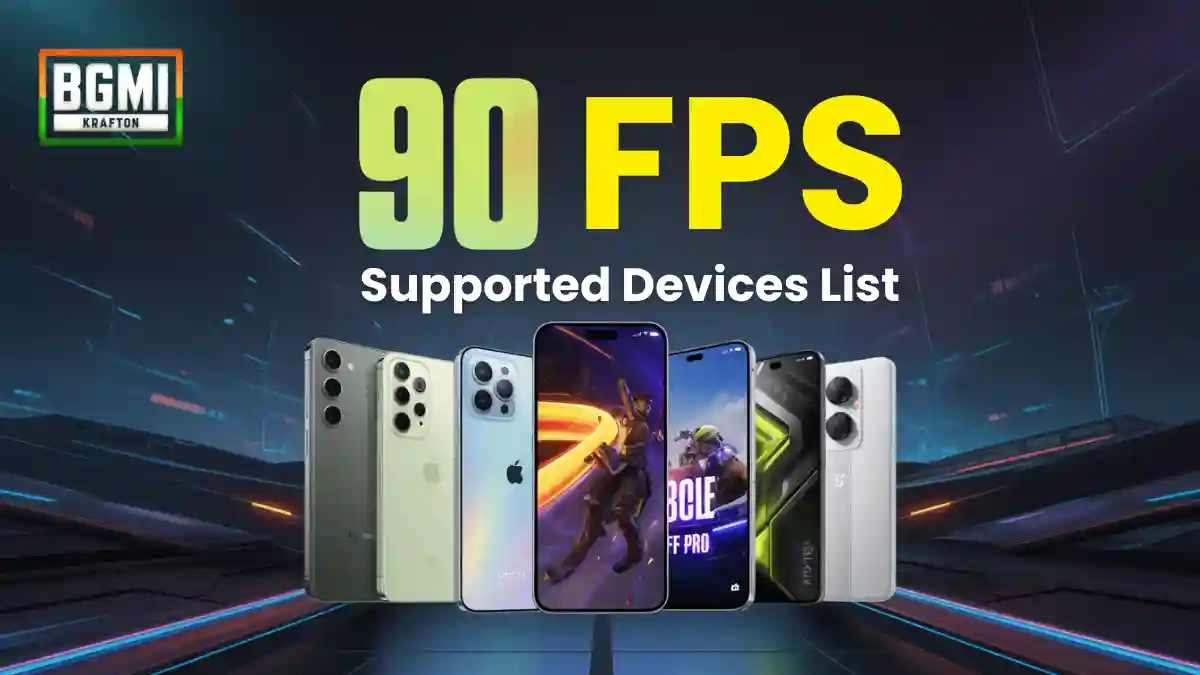
Looking for the complete and updated BGMI 90 FPS supported devices list? This comprehensive guide covers all compatible Android and iOS phones, minimum requirements, how to enable 90 FPS, troubleshooting tips, and budget-friendly options for Battlegrounds Mobile India players.
Quick Answer: Here are the top 5 BGMI 90 FPS supported devices in different price ranges:
- Premium: iPhone 16 Pro Max (₹1,50,000+)
- Flagship: Samsung S25 Ultra (₹1,20,000+)
- Mid-range: OnePlus 12 (₹70,000+)
- Budget: POCO F5 Pro (₹35,000+)
- Upcoming: Realme GT 6 (₹45,000+ expected)
What Is 90 FPS in BGMI?
BGMI 90 FPS (Frames Per Second) determines how smooth your gameplay looks and feels. In Battlegrounds Mobile India, 90 FPS allows the game to render up to 90 frames per second, means vary smooth gameplay:
- Smoother animations and character movements
- Better aiming accuracy in close-range fights
- Reduced input lag compared to 60 FPS
- Significant competitive advantage in tournaments
Note: Even if your phone has 120Hz display, BGMI may not show the 90 FPS option unless the device is officially whitelisted.
RELATED POST- Great News for BGMI Players! New Redeem Codes Released with Exclusive Juicebox Backpack – Claim Now
Full List of BGMI 90 FPS Supported Devices (Dec 2025)
Minimum Requirements for BGMI 90 FPS Support:
- Display: 90Hz or higher refresh rate
- Processor: Snapdragon 8-series (Gen 1+), Dimensity 9000+, or Apple A-series (iPhone 11 Pro+)
- RAM: Minimum 8GB (12GB+ recommended)
- Battery: 4500mAh+ for stable performance
According to community testing, around 70% of flagship devices from 2023-2025 get support, despite some capable midrange phones such as the older POCO X models being eligible.
Android Devices – BGMI 90 FPS Supported Phones
Samsung Galaxy Series
| Model | Processor | Display | Price Range | 90 FPS Status |
|---|---|---|---|---|
| Galaxy S25 Ultra | Snapdragon 8 Gen 3 | 120Hz | ₹1,20,000+ | ✅ Supported |
| Galaxy S24/S24+ | Snapdragon 8 Gen 3 | 120Hz | ₹80,000+ | ✅ Supported |
| Galaxy S23 series | Snapdragon 8 Gen 2 | 120Hz | ₹65,000+ | ✅ Supported |
| Galaxy S22 series | Snapdragon 8 Gen 1 | 120Hz | ₹45,000+ | ✅ Supported |
| Galaxy Note 20 Ultra | Snapdragon 865+ | 120Hz | ₹35,000+ | ✅ Supported |
OnePlus Devices
| Model | Processor | Display | Price Range | 90 FPS Status |
|---|---|---|---|---|
| OnePlus 12 | Snapdragon 8 Gen 3 | 120Hz | ₹70,000+ | ✅ Supported |
| OnePlus 11 | Snapdragon 8 Gen 2 | 120Hz | ₹55,000+ | ✅ Supported |
| OnePlus 10 Pro | Snapdragon 8 Gen 1 | 120Hz | ₹45,000+ | ✅ Supported |
| OnePlus 9 Pro | Snapdragon 888 | 120Hz | ₹35,000+ | ✅ Supported |
| Nord 3 | Dimensity 9000 | 120Hz | ₹30,000+ | ✅ Select Variants |
Xiaomi & POCO Devices
| Brand | Model | Processor | Display | Price Range | 90 FPS Status |
|---|---|---|---|---|---|
| Xiaomi | 14 Pro | Snapdragon 8 Gen 3 | 120Hz | ₹65,000+ | ✅ Supported |
| Xiaomi | 13 Pro | Snapdragon 8 Gen 2 | 120Hz | ₹50,000+ | ✅ Supported |
| POCO | F6 Pro | Snapdragon 8 Gen 2 | 120Hz | ₹40,000+ | ✅ Supported |
| POCO | F5 Pro | Snapdragon 8+ Gen 1 | 120Hz | ₹35,000+ | ✅ Supported |
| POCO | F4 GT | Snapdragon 8 Gen 1 | 120Hz | ₹30,000+ | ✅ Supported |
RELATED POST- 20+ BGMI Streaming Challenge Ideas for YouTube
Gaming Phones – Best for 90 FPS
| Brand | Model | Processor | Special Features | Price Range |
|---|---|---|---|---|
| ASUS | ROG Phone 8 | Snapdragon 8 Gen 3 | AirTrigger, Cooling | ₹1,00,000+ |
| ASUS | ROG Phone 7 | Snapdragon 8 Gen 2 | 165Hz Display | ₹80,000+ |
| Black Shark | 6 Pro | Snapdragon 8 Gen 2 | Physical Triggers | ₹70,000+ |
| Red Magic | 9 Pro | Snapdragon 8 Gen 3 | Built-in Fan | ₹65,000+ |
iOS Devices
iPhone Models with 90 FPS Support
| Model | Processor | Display | Refresh Rate | Price Range | 90 FPS Status |
|---|---|---|---|---|---|
| iPhone 16 Pro Max | A18 Pro | 120Hz ProMotion | 120Hz | ₹1,50,000+ | ✅ Supported |
| iPhone 16 Pro | A18 Pro | 120Hz ProMotion | 120Hz | ₹1,20,000+ | ✅ Supported |
| iPhone 15 Pro Max | A17 Pro | 120Hz ProMotion | 120Hz | ₹1,10,000+ | ✅ Supported |
| iPhone 15 Pro | A17 Pro | 120Hz ProMotion | 120Hz | ₹90,000+ | ✅ Supported |
| iPhone 14 Pro Max | A16 Bionic | 120Hz ProMotion | 120Hz | ₹80,000+ | ✅ Supported |
| iPhone 14 Pro | A16 Bionic | 120Hz ProMotion | 120Hz | ₹70,000+ | ✅ Supported |
iPad Models
| Model | Processor | Display | Refresh Rate | 90 FPS Status |
|---|---|---|---|---|
| iPad Pro M2 | M2 Chip | 120Hz ProMotion | 120Hz | ✅ Supported |
| iPad Pro M1 | M1 Chip | 120Hz ProMotion | 120Hz | ✅ Supported |
Apple devices with ProMotion displays (120Hz) are capable of running BGMI at higher frame rates, provided the option is enabled in-game.
BGMI 90 FPS Supported Devices Under ₹30,000
Budget-friendly options for 90 FPS gaming:
Under ₹25,000
| Model | Processor | RAM | Reason to Buy |
|---|---|---|---|
| POCO X5 Pro | Snapdragon 778G | 8GB | Best value for money |
| Realme 11 Pro+ | Dimensity 7050 | 8GB | Good battery life |
| Redmi Note 12 Pro | Dimensity 1080 | 8GB | Stable performance |
₹25,000 – ₹30,000
| Model | Processor | RAM | BGMI FPS Status |
|---|---|---|---|
| POCO F6 | Snapdragon® 8s Gen 3 | 8GB | 90 FPS (Stable) |
| realme GT 6T 5G | Snapdragon 7+ Gen 3 | 8GB | Gaming mode |
| iQOO Neo 7 Pro | Snapdragon 8+ Gen 1 (Pro) | 8GB | Extended RAM |
Note: Budget devices may have thermal throttling during extended gaming sessions.
RELATED POST- How to Use an Esports Team Name Generator: Step-by-Step Guide to Free Tool, 50 Plus Ideas
Upcoming 90 FPS Supported Phones in 2026
Expected Launches (Q1-Q2 2026)
| Device / Model | Expected Launch | Expected Processor | BGMI FPS Support | Expected Price |
|---|---|---|---|---|
| OnePlus 14R (Real 2026 Model) | Jan / Feb 2026 | Snapdragon 8 Gen 4 (or simplified 8 Elite) | 90 FPS & 120 FPS (Native) | ₹48,000 – ₹52,000 |
| Samsung Galaxy S26 Series (Base / Plus) | Jan / Feb 2026 | Snapdragon 8 Gen 5 for Galaxy / Exynos 2600 | 90 FPS (Stable) | ₹70,000+ |
| POCO F8 Pro | April / May 2026 | Snapdragon 8 Gen 4 (8 Elite) or 8s Gen 5 | 120 FPS Ready | ~₹45,000 |
| Realme GT 8 Pro | Q1 2026 (China), Q2 2026 (India) | Snapdragon 8 Gen 5 | 120 FPS + GT Mode 5.0 | — |
How to Enable 90 FPS in BGMI (Step-by-Step)
Method 1: Official Way
- Open BGMI on your device
- Go to Settings (⚙️ icon)
- Tap on Graphics & Audio
- Select Smooth graphics quality
- Choose 90 FPS if available
- Restart the game for best performance
Method 2: Device Settings
- Enable High Refresh Rate:
- Samsung: Settings > Display > Motion Smoothness > “Adaptive”
- OnePlus: Settings > Display > Screen Refresh Rate > 120Hz
- Xiaomi: Settings > Display > Refresh Rate > Highest available
- iPhone: Settings > Accessibility > Motion > Turn OFF “Limit Frame Rate”
- IQOO: Settings >Display & Brightness > Screen Refresh Rate >Choose 120Hz
Method 3: Game Turbo Settings
- Enable Game Turbo/Power Saving off
- Set Performance Mode to “High”
- Allow background activity for BGMI
Pro Tip: Always update BGMI to the latest version from Google Play Store or App Store.
90 FPS vs 60 FPS vs 120 FPS in BGMI
Performance Comparison Table
| Frame Rate | Visual Fluidity | Response Time | Battery Impact | Competitive Advantage |
|---|---|---|---|---|
| 60 FPS | Basic smoothness | 16.7ms | Normal | Standard gameplay |
| 90 FPS | Noticeably smoother | 11.1ms | +15-20% consumption | ✅ Significant advantage |
| 120 FPS | Exceptionally fluid | 8.3ms | +25-30% consumption | ✅ Maximum advantage (limited devices) |
Hardware Requirements for 90 FPS in BGMI
Playing BGMI at 90 FPS is not just about having a powerful processor. Here are the basics hardware for a stable 90 FPS gaming experience.
Minimum Requirements
| Component | Android | iOS |
|---|---|---|
| Processor | Snapdragon 8 Gen 1+ / Dimensity 9000+ | A15 Bionic+ |
| RAM | 8GB minimum | 6GB minimum |
| Storage | 128GB UFS 3.1 | 128GB+ |
| Battery | 4500mAh+ | 3000mAh+ |
| Cooling | Vapor chamber recommended | Standard cooling |
Recommended for Stable 90 FPS
- Android: Snapdragon 8 Gen 2+, 12GB RAM, 5000mAh+ battery
- iOS: A16 Bionic+, iOS 16+, 256GB storage
That is the reason support for 90 FPS is only for devices that can keep up the performance.
Why 120 FPS Was Not Released in BGMI
It was originally anticipated that many devices that supported 90 FPS would also support 120 FPS, but between the beta and final versions, this feature silently vanished, according to official BGMI information.
Most devices did not support 120 FPS, even after the Global 4.1 update was released. Technological issues were the actual cause.
Frequently Asked Questions
Yes, but only select models like Realme GT Neo 3, GT 5 Pro with Dimensity 8100+ or Snapdragon 8+ Gen 1 processors.
Three main reasons: 1) Graphics not set to “Smooth”, 2) Device refresh rate not maxed, 3) Your device might have been removed from support list. Check our troubleshooting guide above.
Yes, but the device list may vary slightly. Global version supports more devices than India-specific BGMI.
No, iPhone 13 (standard) doesn’t support 90 FPS. Only iPhone 13 Pro and Pro Max with 120Hz ProMotion displays support it.
Expect 15-20% higher battery consumption. A 5000mAh battery typically lasts 4-5 hours with 90 FPS gaming.
Krafton hasn’t announced any plans. Current focus is on optimizing 90 FPS for more devices.
Disclaimer: Device compatibility may change with updates. Always check official BGMI announcements for latest information.
Last Updated: January 15, 2026 | Next Update: February 15, 2026