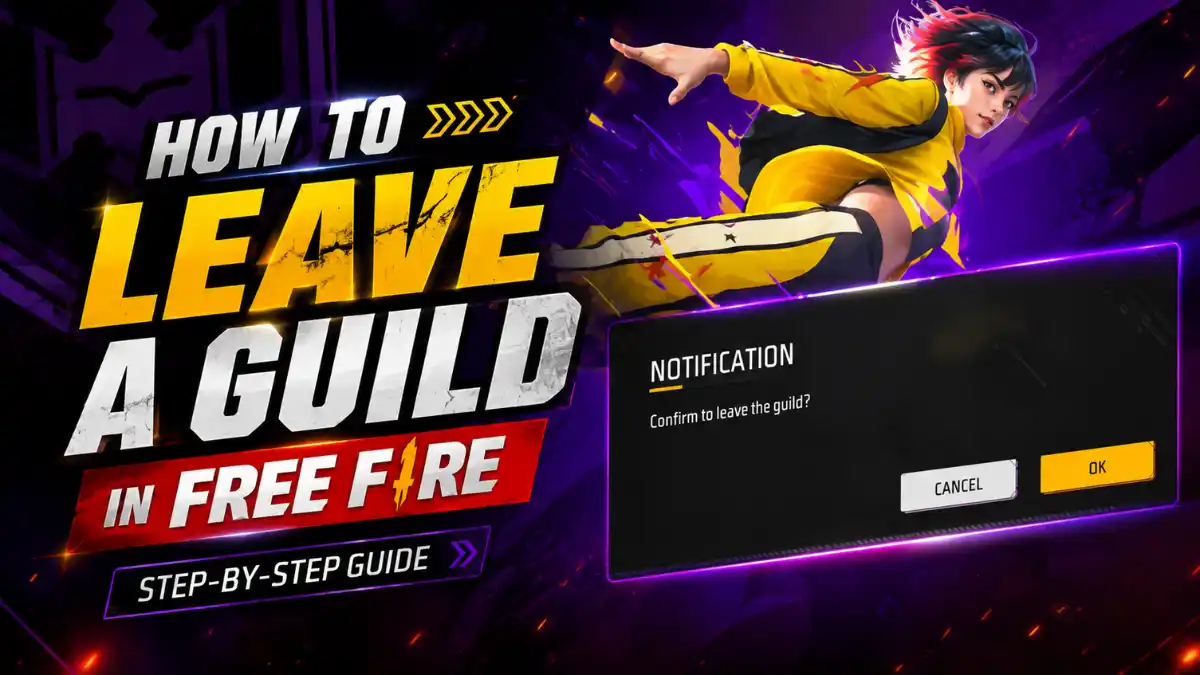
If you joined a guild and want to leave current guild. Players can leave a guild in Free Fire directly from the game’s Guild section. The process only takes a few taps, making it easy to quit an inactive guild, leave a group of players, or prepare to join a different guild.
Leaving a guild does not delete the Free Fire account or remove personal items such as characters, skins, weapons, diamonds, or overall account progress. In this blog post i will expalin step by step process that how to leave guild in free fire and What Happens When Leaving a Free Fire Guild. Everything you need to know as a free fire player.
How to Leave a Guild in Free Fire
To leave a Guild in Free Fire, simply open the game and follow the step-by-step process given below.
Step 1: Open Free Fire on the device and Enter the game main lobby.
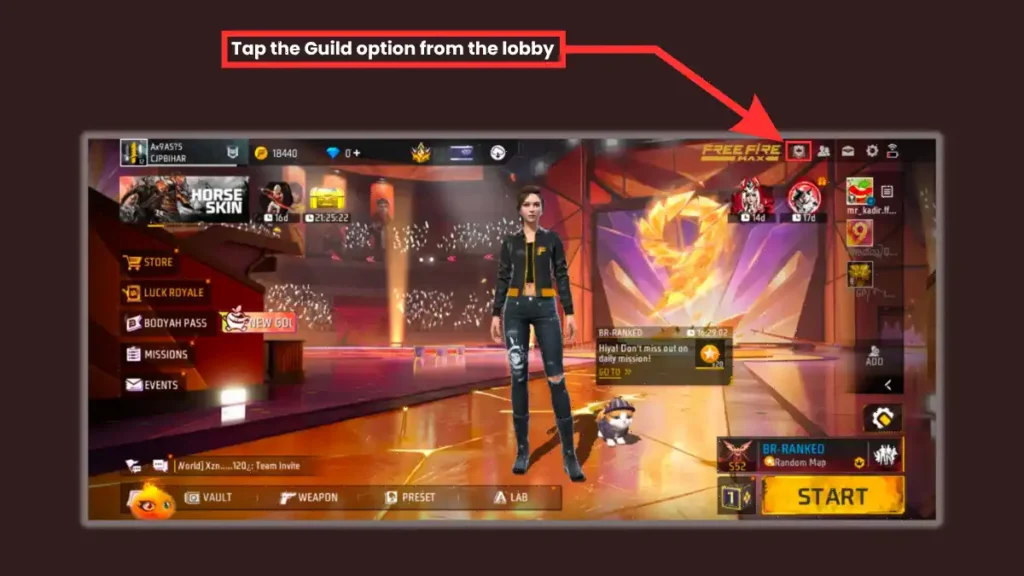
Step 2: Tap the Guild option from the lobby.
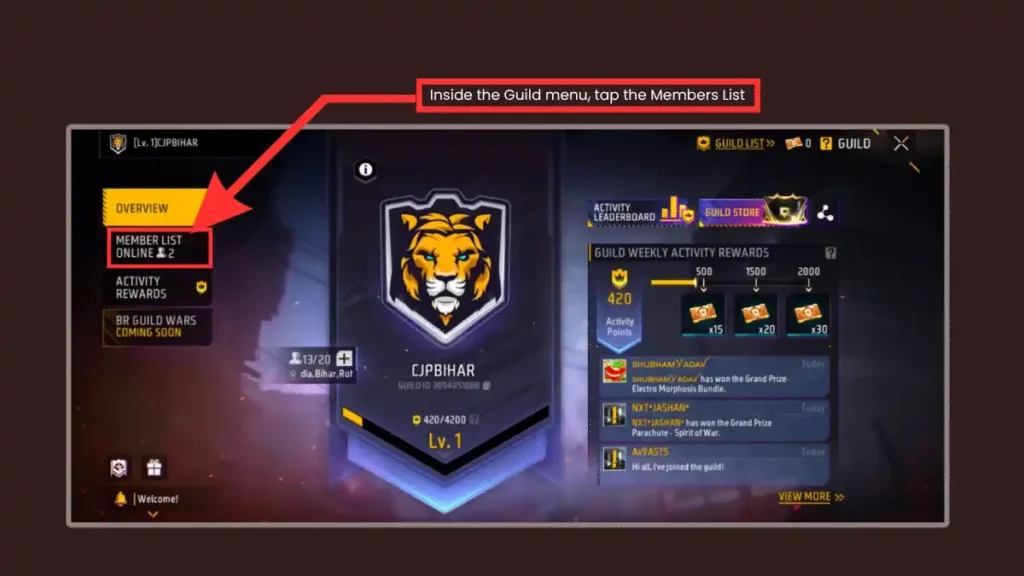
Step 3: Inside the Guild menu, tap the Members tab.
Step 4: Scroll through the list and find your own name.
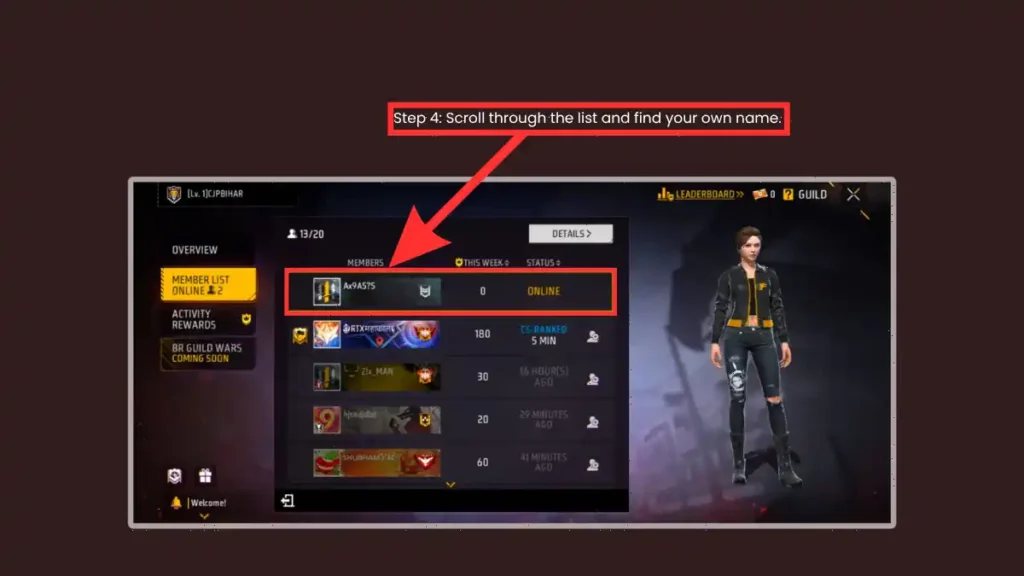
Step 5: Tap your name.
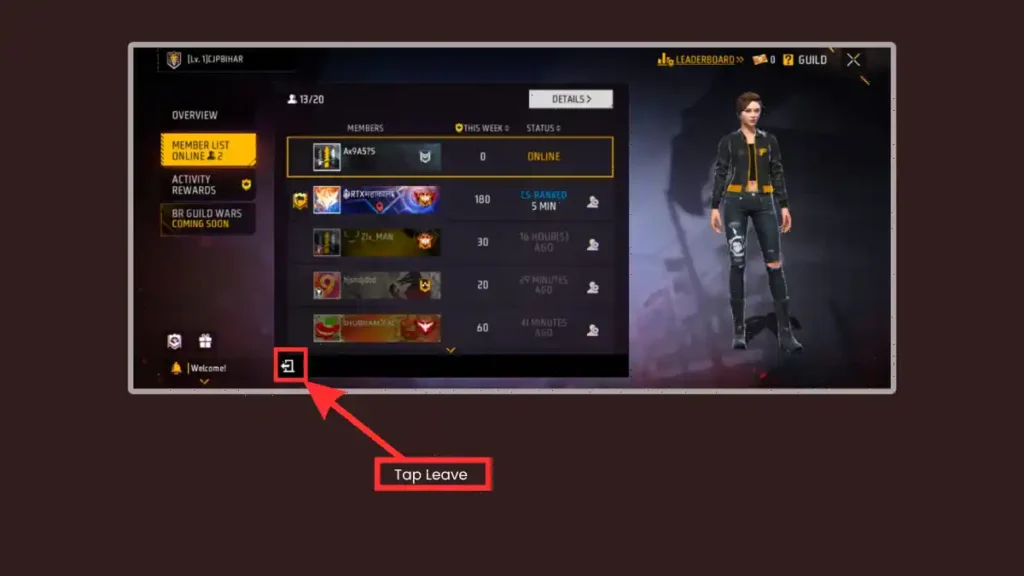
Step 6: Tap Leave or Exit Guild.
Step 7: Confirm when the pop-up asks if you’re sure.
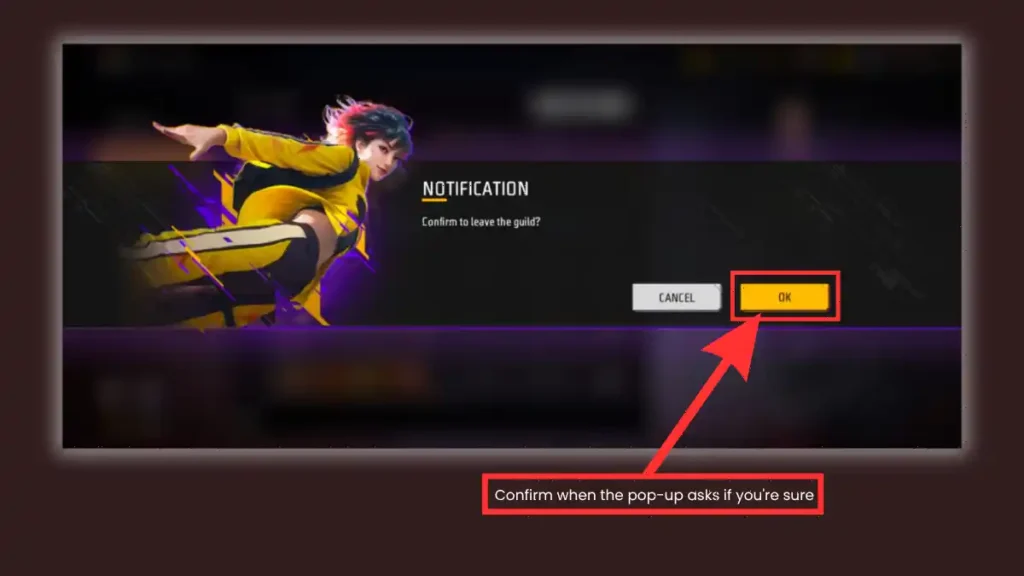
After confirmation, the account will no longer be a member of that guild.
This button is located at the bottom of the member list, which is why many players get stuck. Garena does not provide a prominent “Leave Guild” button on the main guild screen; you have to check the roster to find it. This design often confuses new players, but now you know the shortcut.
How Do I Leave a Guild as the Leader?
If you are the leader of a guild and want to leave it, you first need to transfer the guild ownership to another member. The leader cannot leave the guild without transferring ownership. Free Fire blocks the “Leave” button for leaders so that the guild does not end up without a leader. So, you need to make another member the leader and then leave the guild as a regular member.
Here is how to transfer ownership and leave:
Here is how to transfer ownership and leave:
Step 1: Open the Guild menu and go to the Members tab.
Step 2: Find the member you want to promote. This should be a trusted co-leader or active officer.
Step 3: Tap their name and select Transfer Leadership.
Step 4: Confirm the transfer. The game will warn you that this action is permanent.
Step 5: Once the new leader takes over, find your own name in the member list.
Step 6: Tap your name and select Leave.
A guild without a leader cannot manage members, start Guild Wars, or change settings. Garena built this wall to protect guild rosters from accidental collapse.
According to Greena, If the Guild Leader has been offline for more than 30 days, eligible members can apply to become the Acting Guild Leader so that the guild can continue running.
What Happens After You Leave a Guild?
Leaving a guild only affects the account’s membership in that particular guild. After you leave a guild, you keep your personal inventory, character skins, and diamonds. However, you lose access to guild-exclusive perks until you join a new one. Your Guild Glory points stay on your account, but they stop contributing to the old guild’s total.
The following account information generally remains unchanged:
- Free Fire account level
- Characters
- Character progress
- Weapon skins
- Outfits
- Diamonds
- Gold
- Battle Pass-related progress
- Other personal inventory items
However, guild-related activities and benefits associated with the previous guild will no longer be available after leaving.
For this reason, it is worth checking whether there are any pending guild rewards or activities before confirming the decision.
Frequently Asked Questions
Open Free Fire, enter the Guild section, open the current guild’s page, select the available Leave/Exit option, and confirm the decision.
No. Leaving a guild does not delete the player’s account or normal game progress.
Yes. Once the account has left the previous guild, it can join or apply to another guild according to that guild’s membership settings.
A guild leader may need to transfer leadership or complete additional guild-management steps before leaving, depending on the options available in the current game version.
Yes, provided the account meets the requirements and has the resources necessary to create a new guild under the current Free Fire guild system.