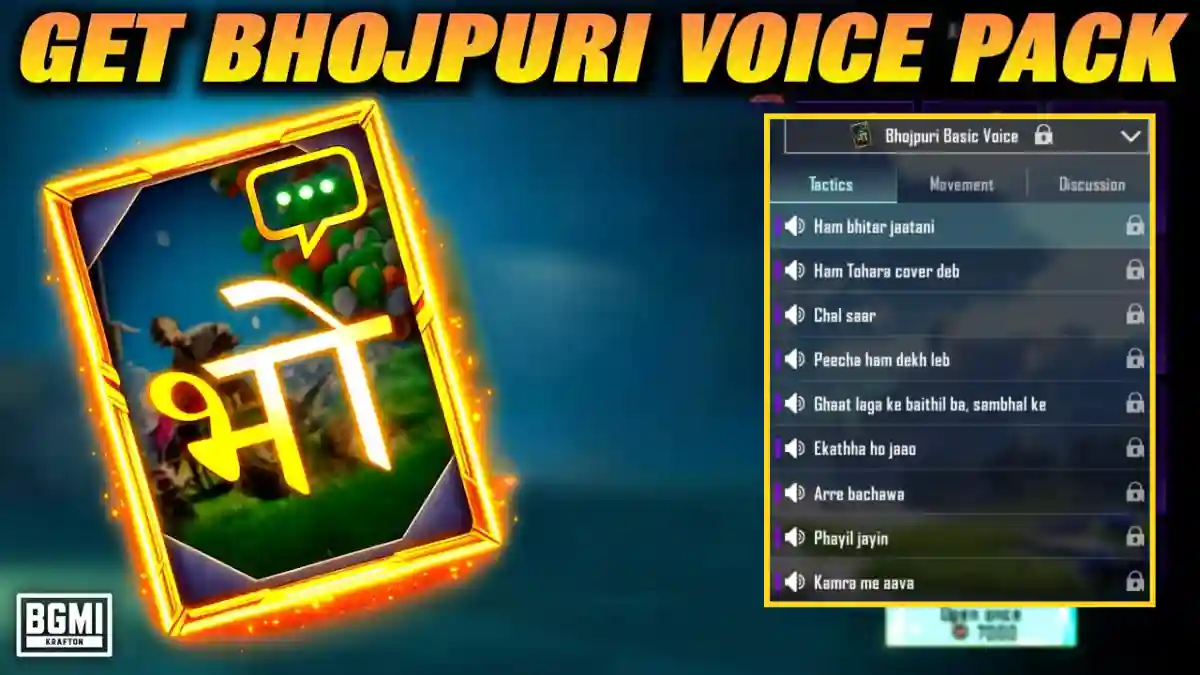
The BGMI 4.2.0 update now includes a Bhojpuri voice pack. The voice used in this pack belongs to a content creator named Harsh Rajput. He has provided his voice pack in Bhojpuri for BGMI, which is quite interesting and entertaining.
Krafton released the BGMI 4.2.0 update on January 15, 2026. With this update, you’ll find a special fantasy mode, Royal Enfield Bullet 350 and Continental GT 650 motorcycles, Peaky Blinders outfits, emotes, and other features. This article is a complete step-by-step guide on how to use Bhojpuri Voice Chat while playing games.
Bhojpuri Voice Chat Step-by-step Guide
The introduction of Bhojpuri voice chat in games has greatly excited Bhojpuri-speaking players. They can now communicate in their mother tongue while playing games. The Bhojpuri language has a unique and melodious charm that appeals to almost everyone.
Here is Step-by-step Guide
Step 1: Open BGMI and click on INVENTORY
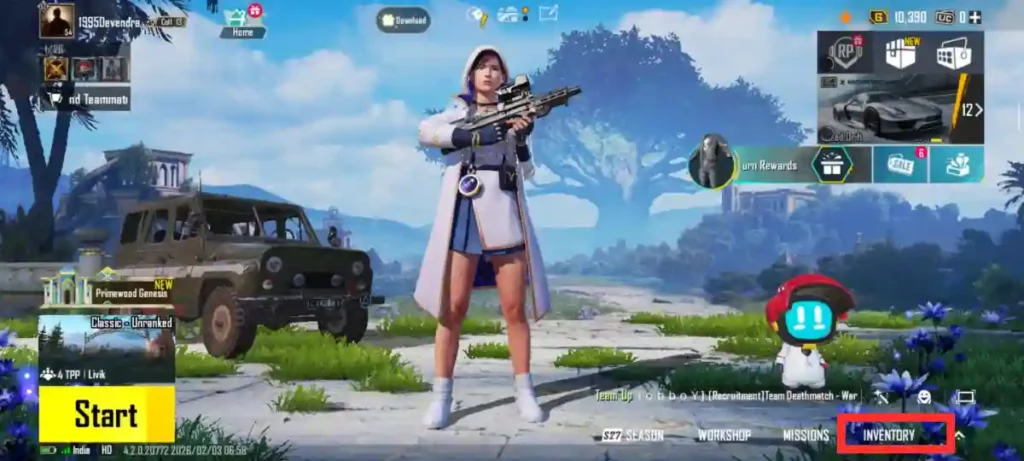
STEP 2: Select Workshop
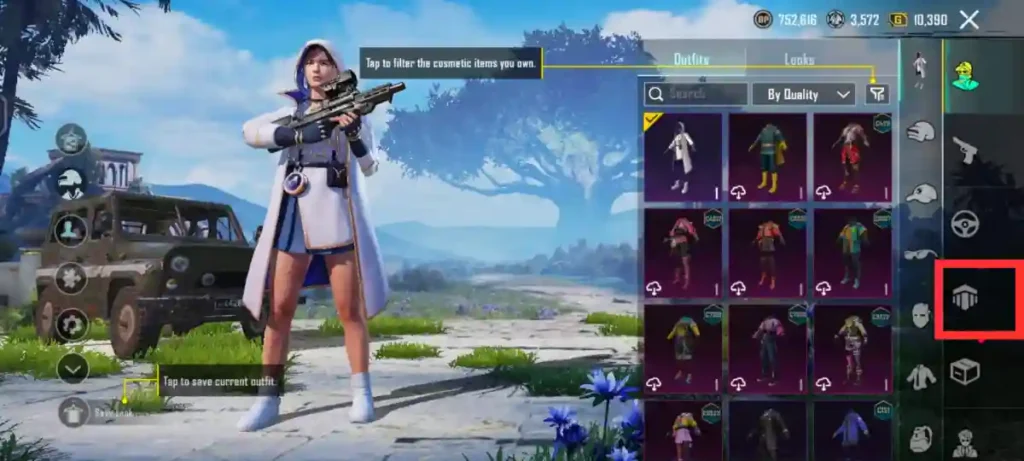
STEP 3: Select the microphone/voice settings
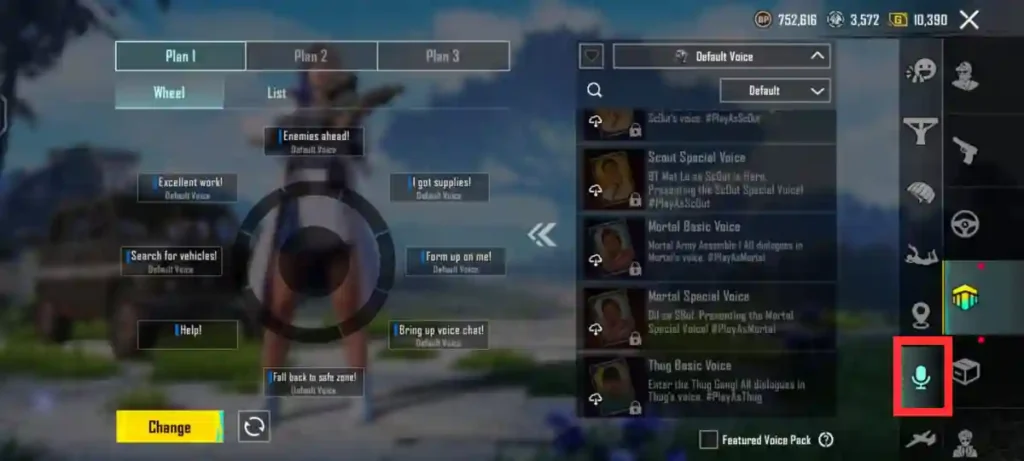
STEP 4: Click on Search bar and Type- Bhojpuri
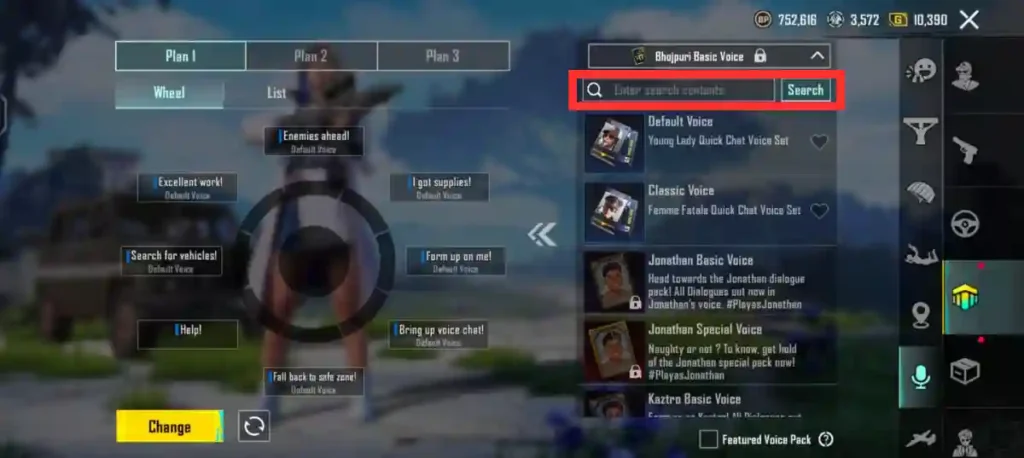
STEP 5: Select Your Bhojpuri Voice Pack In BGMI
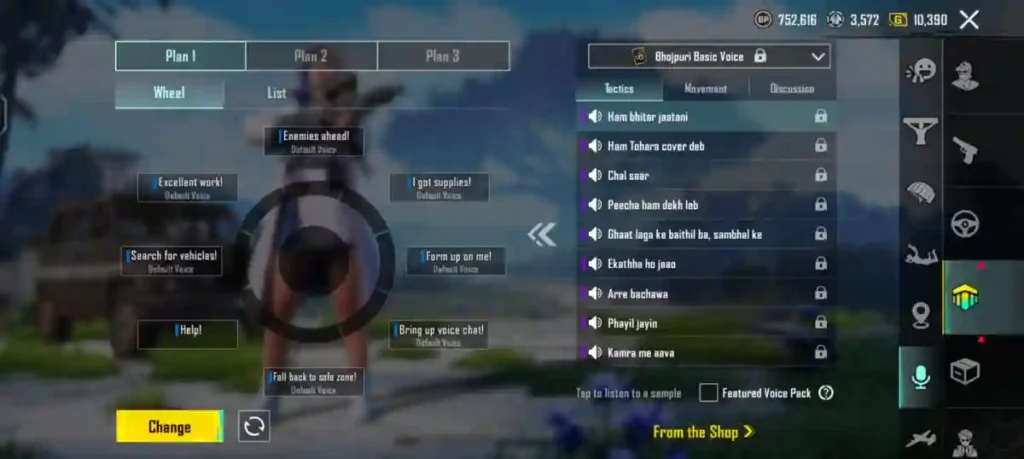
To use the Bhojpuri Voice Pack, you will have to invest BP Coins.
In addition to the Bhojpuri Voice Pack, BGMI offers several other voice packs, including those of Scout, CarryMinati, Dynamo, Bollywood actor Tiger Shroff, and many Telugu players. You can claim whichever voice pack you find useful using BP Coins and use it during gameplay.
If you do not have enough BP right now, do not worry. These crates typically remain available through the next update, giving you time to farm coins
Following the launch of the Bhojpuri voice pack in BGMI, a song by KRAFTON was also released, which is available on his social media channels.
Frequently Asked Questions
Estimates balance of 3 to 4 lakh (300,000–400,000) BP to be safe.
Yes. In the voice settings “List” option, you can manually replace specific commands.