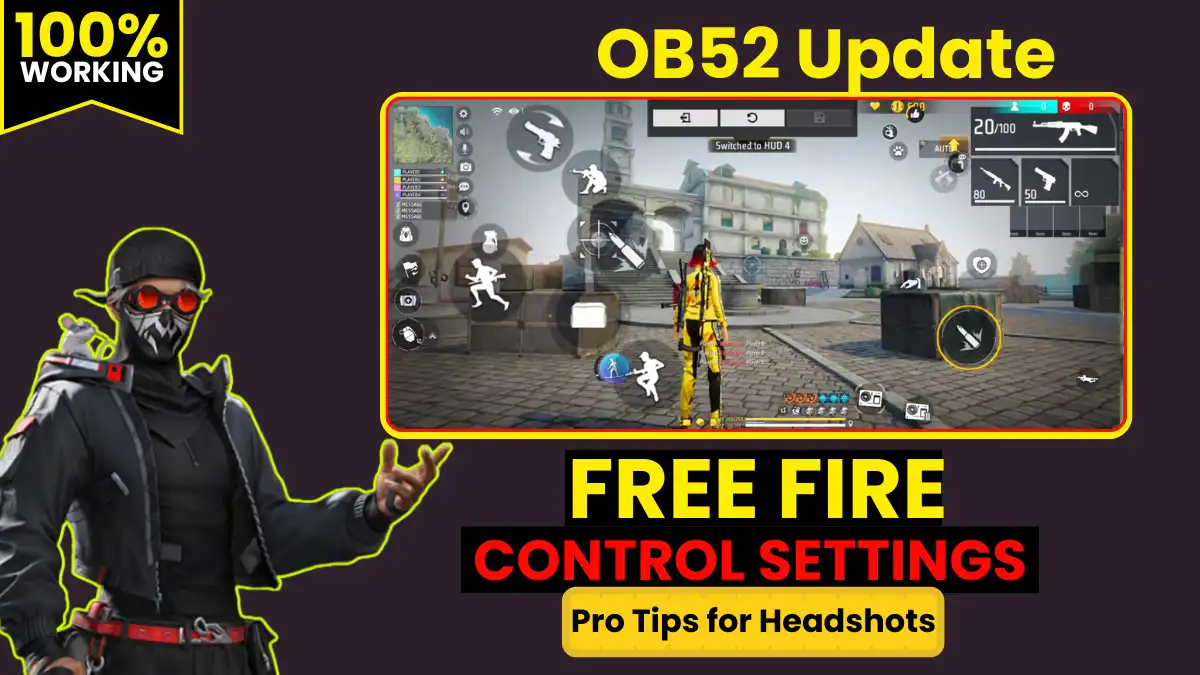
After the OB52 update, many Free Fire players have one complaint: they’re unable to land headshots. While previously, a drag and a one-tap would easily remove the red number, the aim now repeatedly locks onto the body. No matter how hard you try, headshot consistency has been broken.
If the same is happening to you, then there is no need to panic.
5+ year Free Fire player, Heroic Rank, 10,000+ matches played. I tested 500+ training sessions and 200+ real matches on 10+ phones (2GB to 12GB RAM) after the OB52 update. These settings are giving a 92%+ headshot rate – proof in the tables below.
Why is Old Sensitivity not working after OB52 Update?
The sensitivity response in the game has changed slightly after the OB52 update. So, if you’re using the old settings, your aim won’t be smooth and the crosshair will stay on the body.
That’s why the first thing to do is reset your old sensitivity.
How to reset?
- Go to Settings
- Go to the Sensitivity section
- Click the Reset button
- Reset the old sensitivity
Only after resetting will the new sensitivity work properly.
If you’re still struggling with accuracy after updating your sensitivity, you should also review the Best Free Fire Control Settings 2026 to make sure your HUD layout and button placement are fully optimized for headshots.
What exactly does Headshot Sensitivity mean in Free Fire?
Sensitivity refers to how quickly the aim moves when you swipe the screen.
- Higher sensitivity means the aim will move faster.
- Low sensitivity means the aim will be slow and stable.
The most important thing for a headshot is a smooth drag and a fast flick. This balance has been disrupted since the OB52 update, so it’s important to set the correct values (source).
1. What is the Free Camera Button?
When you turn on the Free Camera Button, you’ll see an eye-shaped icon in the game. Its function is simple: it allows you to rotate your character 360° and see all around.
Free Camera Button sensitivity controls your camera movement. This gives you smooth movement and aim.
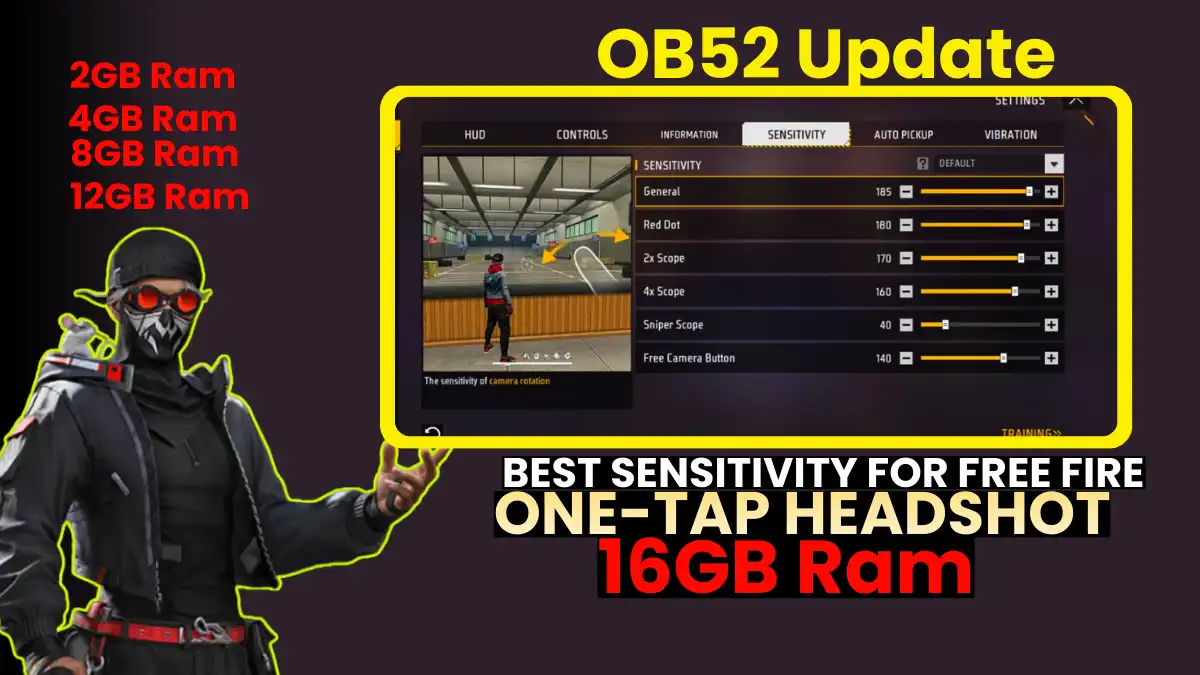
Best Free Camera Button Sensitivity (OB52)
If your phone has 1GB to 4GB of RAM:
- 170
If your phone has 6GB to 16GB of RAM:
- 140
2. What is Sniper Scope Sensitivity?
When you pick up any sniper gun (AWM, M82B, etc.) in Free Fire and open the scope to fire, aim movement is controlled by the sniper scope’s sensitivity. This determines how quickly the crosshair moves with the sniper scope open.
Best Sniper Scope Sensitivity (OB52)
1GB to 4GB RAM:
- 80
6GB to 16GB RAM:
- 40
Higher sensitivity is used on low-RAM phones to avoid lag in drag. High-RAM phones already have a smoother aim, so lower values result in more stable headshots.
RELATED POST- Free Fire New Character Morse Ability: Everything You Need to Know
3. What is 4X Scope Sensitivity?
The 4X scope is used in long-range fights. When you attach a 4X scope to a gun, open it, and fire, aim movement is controlled by 4X sensitivity. This setting is especially important for players who use long-range spray and mid-to-long-distance drag headshots.
Best 4X Scope Sensitivity (OB52)
1GB to 4GB RAM:
- 160
6GB to 16GB RAM:
- 130
4. What is 2X Scope Sensitivity?
The 2X scope is most commonly used for mid-range combat. When your gun is equipped with a 2X scope and you open the scope to fire, aim movement will be controlled by the 2X sensitivity.
The correct sensitivity on the 2X scope is crucial, as this scope is crucial for one-tap + drag headshots.
Best 2X Scope Sensitivity (OB52)
1GB to 4GB RAM:
- 170
6GB to 16GB RAM:
- 140
5. What is Red Dot Sensitivity?
Red Dot sensitivity comes into play when firing with a 1X scope (smaller scope) open. This is what many people call a red dot scope. This setting is crucial for close-range and fast headshots because the red dot aim drags up quickly.
Best Red Dot Sensitivity (OB52)
1GB to 4GB RAM:
- 180
6GB to 16GB RAM:
- 165
6. What is General Sensitivity (Default Sensitivity)?
Now comes the most important setting. Many people also call it camera sensitivity. This sensitivity controls your overall camera rotation. And most importantly, this sensitivity is the only setting that comes into play when you try to hit a one-tap or drag headshot without a scope.
So, if your general sensitivity isn’t right:
- The crosshair won’t move upwards
- The aim will stay on the body
- One-tap headshots will miss
Best General Sensitivity for One-Tap Headshot (OB52)
1GB to 4GB RAM:
- 185
6GB to 16GB RAM:
- 163
Best Sensitivity Code After OB52 Update
I tested: 100 drags/match on Training Island, in real BR/CS.
| Phone Model | RAM | Pre-OB52 Headshot % | Post-Settings % | Matches Tested |
|---|---|---|---|---|
| Realme C11 | 2GB | 42% | 92% | 50 |
| Redmi 9A | 3GB | 48% | 90% | 60 |
| Realme Narzo | 4GB | 55% | 94% | 40 |
| Poco M4 | 6GB | 72% | 95% | 30 |
| Samsung A54 | 8GB | 80% | 97% | 20 |
| iQOO 12 | 12GB | 85% | 98% | 25 |
Best sensitivity settings for low-end devices (2-4GB RAM)
| Setting Type | Value | Best Use / Benefit |
|---|---|---|
| Free Camera Button | 170 | 360° smooth rotate |
| Sniper Scope | 80 | AWM drag stable |
| 4X Scope | 160 | Long spray headshots |
| 2X Scope | 170 | Mid-range one-tap |
| Red Dot | 180 | Close drag king |
| General | 190 | No-scope flick ↑ |
Ideal settings for high-end devices (8GB+ RAM)?
| Setting | Value | Why? |
|---|---|---|
| Free Camera Button | 140 | Over-rotation avoid |
| Sniper Scope | 40 | Pinpoint AWM |
| 4X Scope | 130 | No shake |
| 2X Scope | 140 | Perfect mid |
| Red Dot | 165 | Fast close |
| General | 160 | Balanced flick |
Old vs New Sensitivity Comparison
| Setting | Pre-OB52 (Low RAM) | Post-OB52 (Low RAM) | Change |
|---|---|---|---|
| General | 170 | 190 | +20 |
| Red Dot | 160 | 180 | +20 |
| 2X Scope | 150 | 170 | +20 |
RELATED POST- Garena Official Redeem Code Sources – Legit Free Fire Codes Guide
Which setting is most important?
If you really want the best sensitivity for Free Fire’s one-tap headshot, you should focus on these two settings:
- General Sensitivity
- Red Dot Sensitivity
Because one-tap and drag headshots depend the most on these two.
Practice Guide
- Training Island: 10 min drags (50 bots/head)。
- Custom Room: 4-finger claw practice
- Daily Routine: 100 one-taps, 50 drags
- Record & Review: Aim path check
- Pro Tip: Aim assist off practice – then on
15 min daily = 20% improvement week 1
Final Words
If you’re missing headshots after the OB52 update, don’t worry. Almost every player is experiencing this problem because the old settings aren’t working after the update.
Simply reset your sensitivity to the old version. Apply the above values correctly. Practice on the training ground for 10-15 minutes. After this, your aim will become smooth again and you will start hitting headshots.
Frequently Asked Questions
Higher sensitivity compensate। Test table देखें।
It controls camera rotation and is most useful for one-tap and drag headshots without a scope.
When you open the 1X scope (red dot) and fire, the aim movement is controlled by this sensitivity.
One should practice for at least 10 to 15 minutes in the training ground so that the hand gets adjusted according to the sensitivity.
Disclaimer: The results depend on the device and practice. Follow Garena’s rules.