The Free Fire Advance Server for OB53 went live on March 20, 2026, and closes on April 2. That gives you a 13-day window to test features that the rest of the player base won’t see for another three weeks. If you’ve never joined an Advance Server before, this is the one to start with. OB53 is stacked: a brand-new character with a partial invisibility skill, a rideable horse that lets you fire on the move, the highly anticipated Eclipse legendary outfit, a Water City combat zone, and a Gintama collaboration. All of it is sitting in the Advance Server right now, waiting to be tested.
We’ve been covering Free Fire’s Advance Server cycles since they started, and past server guides show the same pattern every time: codes run out fast, fake APKs spike on third-party sites, and players get locked out because they used the wrong account. This guide covers everything so none of that happens to you.
What Is the Free Fire Advance Server?
The Free Fire Advance Server is Garena’s official closed-beta testing platform where a limited number of selected players test unreleased characters, weapons, maps, and mechanics before the global patch launches. It runs for roughly two weeks every two months on a separate APK from the main game, and requires an activation code to enter. Progress made on the server does not carry over to your main account.
Think of it as Garena’s quality control layer powered by real players. Before any major update reaches the 500+ million strong Free Fire player base, a select group gets early access, breaks things, and reports what they find. The development team then uses that feedback to fix bugs and tweak balance before global launch.
The two-month release cycle means there are roughly six Advance Server windows per year. If you miss OB53, the next chance comes around June 2026.
What’s New in the OB53 Advance Server?
The OB53 Advance Server opened on March 20, 2026, and runs until April 2, 2026. The full global OB53 update is expected around April 8, 2026. Key content currently being tested includes a new character with a partial invisibility skill, a rideable horse vehicle that lets players fire while mounted, the Eclipse legendary outfit for both male and female characters, a new Water City combat zone, and a Gintama collaboration event.
Here’s a full breakdown of what’s in the server right now:
New Character: Advance Server leaks point to a new character with a partially invisible skill. Early streams suggest the kit leans toward stealth and repositioning, which would shake up ranked play significantly.
Horse Vehicle: New mounts like horses, new characters, and global events such as ‘Bermuda Flood’ will be added. The horse vehicle auto-heals and allows shooting while riding, enhancing both mobility and combat advantages in gameplay. Horses come in three types and include a Follow function to trail teammates.
Eclipse Legendary Outfit: The ‘Eclipse’ themed legendary outfit is the most anticipated in this update. Especially the female Eclipse outfit is highly praised for its exceptional design, featuring transformation capabilities and stunning entrance animations.
New Weapon: A water gun-shaped energy weapon will appear, offering a new combat experience. Reports suggest headshot damage could reach 500+, making it one of the hardest-hitting weapons in the game.
Gintama Collaboration: According to leaks from dataminers, a Free Fire x Gintama crossover is very likely on the way. Expected content from this collab includes themed bundles and outfits.
Ranked System Overhaul: Master Rank players can only team up with Diamond Rank or higher, and Elite Heroic Rank players can only team up with Heroic Rank or higher. These changes aim to increase fairness in ranked games and encourage skill-based matchmaking.
None of this is confirmed until Garena drops the official patch notes, but the Advance Server is where you get to see all of it first.
How to Register for the Free Fire OB53 Advance Server
Visit ff-advance.ff.garena.com, log in with the Facebook or Google account linked to your Free Fire ID, enter your email, and click “Join Now.” Your activation code will appear on your dashboard immediately. Save it. Without this code, you can’t log in to the server even if you download the APK.
Follow these steps exactly:
- Go to ff-advance.ff.garena.com in your browser.
- Tap Log In and choose Facebook or Google (must be the same account you use in Free Fire).
- Enter your email address in the required field.
- Click “Join Now” to submit the form.
- Your activation code appears on the dashboard. Screenshot it or write it down.
- On March 20, return to the same site and download the APK.
- Install the APK, open it, and log in using your activation code.
Important eligibility checks: The minimum age limit for the FF Advance Server is 18 years. The in-game Free Fire account should be at least 9 months old. Your account also needs to be in a supported region.
Registration is still open, but the number of activation codes is limited, so it is best to register as soon as possible. Slots can fill within hours of opening.
Success Checklist Before You Download
Before touching the APK, run through this quickly:
- Account is 9+ months old and Facebook/Google-linked
- Activation code saved from your dashboard
- At least 1 GB of free storage on your device
- “Install from Unknown Sources” enabled in device settings
- VPN is turned OFF (causes region mismatch errors)
- You’re logging in with the same account used during registration
How to Download the OB53 APK (Android, iOS, and PC)
The OB53 Advance Server APK is available directly from the official Advance Server website from March 20, 2026. It’s an Android-only file and requires Android 5.0 or higher. The APK is approximately 694 MB, so make sure you’re on Wi-Fi before downloading.
Android (straightforward):
- Go to ff-advance.ff.garena.com after logging in.
- Tap the download button to get the APK.
- Open your file manager and tap the APK to install.
- If prompted, allow installation from unknown sources in your security settings.
- Open the app and log in using your code.
iOS and PC users: Free Fire’s Advance Server doesn’t have a native iOS or PC build. Your best option is an Android emulator. BlueStacks and LDPlayer are the two most reliable choices. Once installed, enable the emulator’s ARM translation mode, open the built-in browser, navigate to the Advance Server site, and download the APK directly into the emulator. Installation follows the same steps as Android. Performance may vary depending on your system specs, so aim for at least 8 GB RAM and a dedicated GPU for a smooth experience.
Key reminder: Progress made during the test period will not transfer to the main game account. All achievements and items earned during testing remain within the test version. However, if players report bugs during the testing phase, they may receive diamond rewards in their main Free Fire account once the update launches.
Official APK vs Fake APK: Know the Difference
Every Advance Server cycle brings a wave of fake APKs on third-party sites. Some are just broken files. Others carry malware that targets your account credentials. Here’s how to tell them apart fast.
| Feature | Official APK | Fake APK |
|---|---|---|
| Source | ff-advance.ff.garena.com only | Random download sites, Telegram links |
| File Size | ~694 MB | Usually too small (under 400 MB) or suspiciously large |
| Login Requirement | Your real Free Fire account + activation code | Often asks for credentials upfront |
| Cost | Always free | May ask for payment or “premium code” |
| Permissions | Standard game permissions | May request SMS, contacts, or call access |
| Risk | None (official Garena build) | Account theft, malware, device compromise |
Red-Flag Checklist: Walk Away If You See Any of These
- Sites selling “guaranteed” activation codes for cash
- Telegram or WhatsApp channels claiming to distribute codes
- APK files that skip the activation code step entirely
- Any site that isn’t ff-advance.ff.garena.com offering the download
- APK installers that request access to your SMS or phone contacts
The Free Fire MAX redeem codes page on our site is a good reminder of what legitimate Garena rewards actually look like. If something feels off, it almost always is.
Top 5 Bug-Hunting Tips for OB53
Want to actually get rewarded? Here’s how to find bugs that Garena’s team hasn’t already flagged.
1. Test the new horse vehicle in edge cases. Try riding into building doorways, narrow alleys, and water zones. Collision bugs are common with new vehicle additions, and the horse is brand new.
2. Play every game mode, not just Battle Royale. Bugs in Clash Squad, Lone Wolf, and limited modes often go unnoticed because most testers ignore them.
3. Use the new character’s skill in unusual combinations. Pair the partial invisibility ability with every character skill in the pool. Interaction bugs between abilities are high-value reports.
4. Test the ranked matchmaking changes at different rank levels. The new Diamond/Heroic pairing restrictions may cause unexpected matchmaking loops. Document queue times and screenshots.
5. Record everything. Garena’s team values bug reports that include a screen recording. A video of the bug reproducing twice is worth far more than a text description and massively increases your chance of getting the Diamond reward.
Past testers from OB51 and OB52 cycles reported bugs through the in-game feedback button (tap the menu icon during a match, then “Feedback”). The more detail you include, the better your odds of a valid reward.
Activation Code Not Working? Fix It Here
If your Free Fire Advance Server activation code isn’t working, the most common cause is logging in with a different account than the one used during registration, or trying to access the server before the March 20 open window. Other triggers include regional VPN conflicts and corrupted APK installs.
Work through this flowchart in order before contacting support:
Step 1: Is the server window open? The OB53 server is live from March 20 to April 2, 2026. Codes won’t work before or after this window.
Step 2: Are you using the same account? Log out of the APK and log back in using the exact Facebook or Google account you registered with. This is the most common fix.
Step 3: Is your VPN on? Turn it off completely. Regional mismatch errors look identical to invalid code errors. Disable VPN, restart the app.
Step 4: Is the APK corrupted? Delete the APK, re-download it from ff-advance.ff.garena.com, and reinstall. Don’t use a cached version from a file manager.
Step 5: Clear app cache. Go to device Settings → Apps → Free Fire Advance Server → Clear Cache. Restart and try again.
Still not working? Contact Garena support directly through the official Free Fire help center. Don’t post your activation code publicly, as each code gives access to one account only and should be kept secret.
Conclusion
The OB53 Advance Server is live right now, and the clock is running. Here’s what to do today:
- Register at ff-advance.ff.garena.com while codes are still available.
- Download only the official APK from Garena’s site on March 20.
- Hunt bugs deliberately using the tips above and earn free Diamonds for your main account.
The global OB53 patch lands around April 8. That means Advance Server testers get a full 19-day head start on understanding the new character, the horse meta, and the ranked system changes. While everyone else is still figuring out the update on launch day, you’ll already know every corner of it.
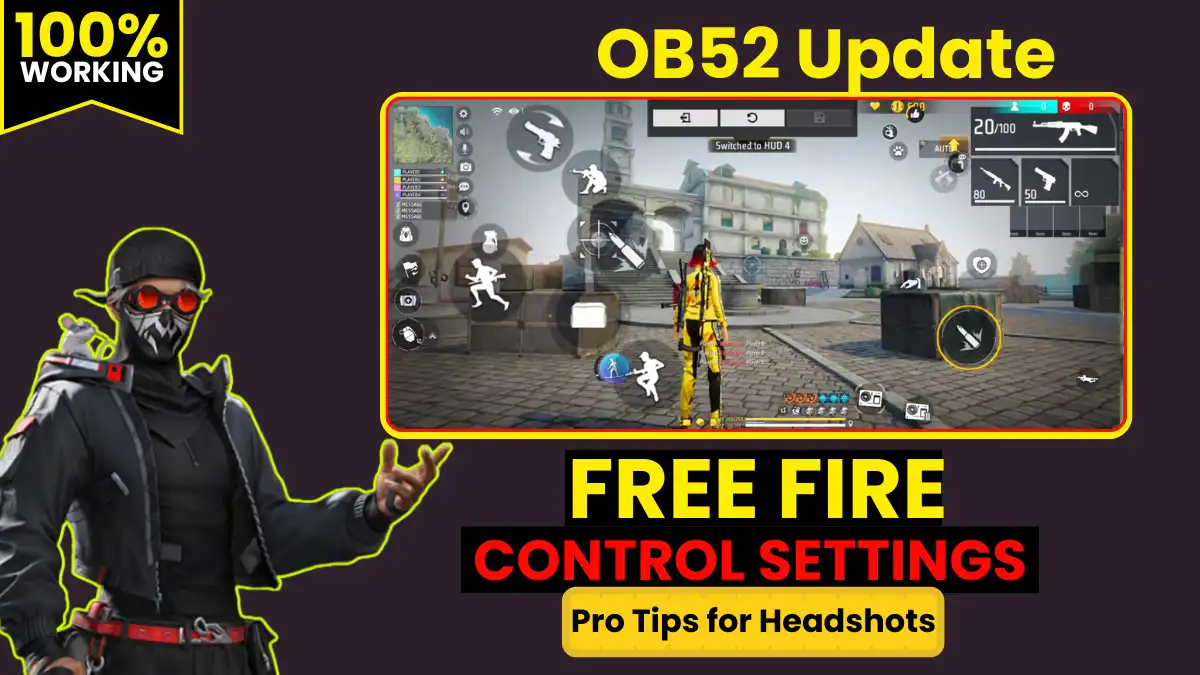
Want to know which Free Fire characters are best for solo play so you know what to look for when testing the new OB53 additions? Check that out next. And once you’re in the server, sharpen those skills with our guide to the best Free Fire control settings before your first Advance Server match.
Frequently Asked Questions
Yes, you must use the same account you registered with. Log in to the Advance Server APK using the exact Facebook or Google account linked to your Free Fire ID.
No. Everything you do on the Advance Server stays on the Advance Server. Levels, items, and match history don’t transfer.
Garena offers 100 Diamonds per confirmed unique bug report. The bug must be something the development team hasn’t already identified, which is why testing edge cases and unusual character ability combinations gives you the best shot at a valid reward.
There’s no official iOS or PC build. Android players (Android 5.0+) get the official APK from ff-advance.ff.garena.com.