The official Free Fire Rewards Redemption Site is reward.ff.garena.com. Log in using your linked Free Fire account (Google, Facebook, etc.), enter a valid redeem code, and your reward arrives via in‑game mail no downloads, no generators, no misleading.
Free Fire redeem codes are one of the easiest ways to grab free skins, bundles, and vouchers if you use the official process. With fake websites and shady “code generators” everywhere, knowing the safe login and redemption steps matters more than ever for Free Fire players.
What is the Official Free Fire Rewards Redemption Site?
The only official portal for redeeming Free Fire codes is https://reward.ff.garena.com/en. Garena does not authorize third‑party apps, APKs, or websites to redeem codes. If a site asks for your password, promises unlimited diamonds, or forces downloads close it.
Step‑by‑Step Login & Redemption Process
Step 1- Visit the Official Rewards Redemption Website
Open reward.ff.garena.com in your browser. Avoid links from YouTube comments or Telegram groups unless verified.
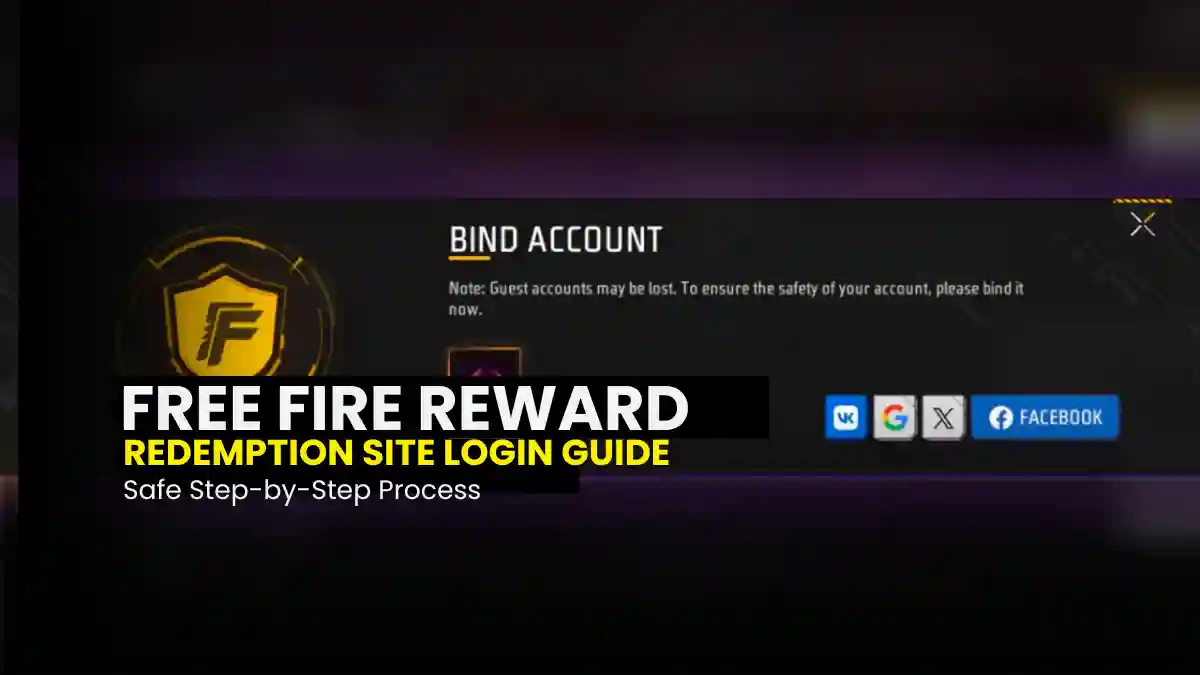
Step 2 – Login to Your Free Fire Account
Log in using one of the supported platforms:
- VK
- Twitter (X)
- Apple
⚠️ Guest accounts cannot redeem codes.
Step 3 – Enter the Redeem Code
- Codes are usually 12 or 16 characters
- Use capital letters and numbers only
- No spaces or special characters
Step 4 – Confirm & Claim
Click Confirm. If the code is valid, you’ll see a success message instantly.
Step 5 – Check Your In‑Game Mailbox
Open Free Fire → In Game Mail → Claim your reward.
How Do You Bind Your Free Fire Account?
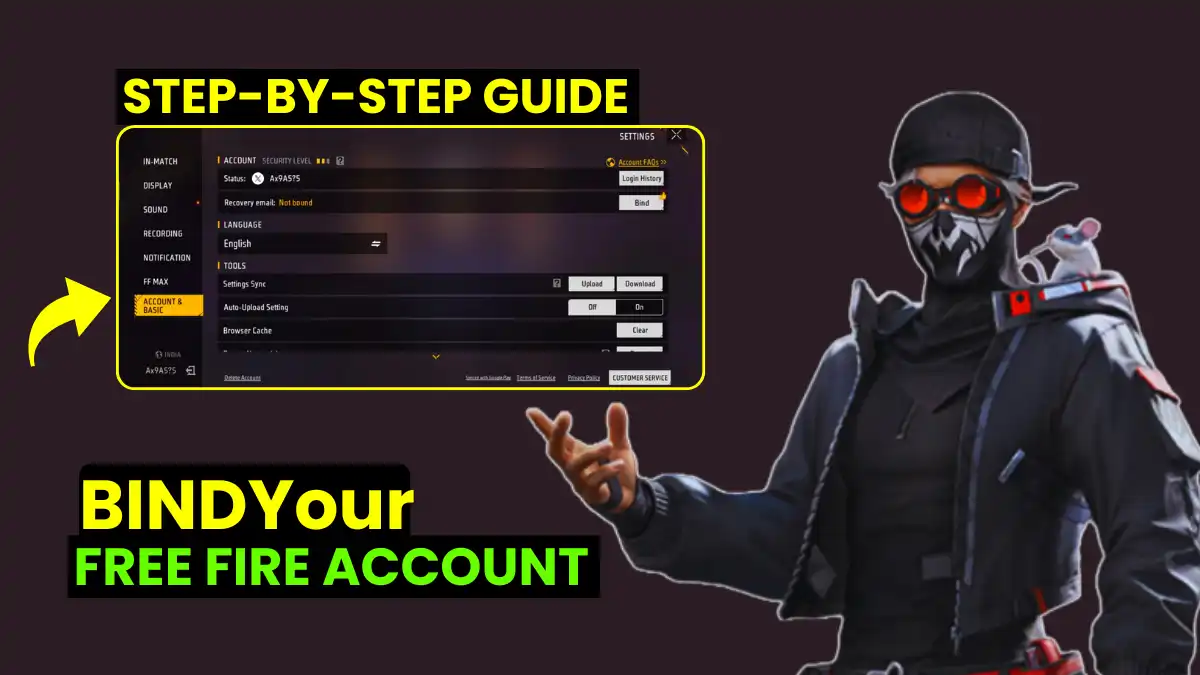
1 .Open Free Fire

2. Go to Settings
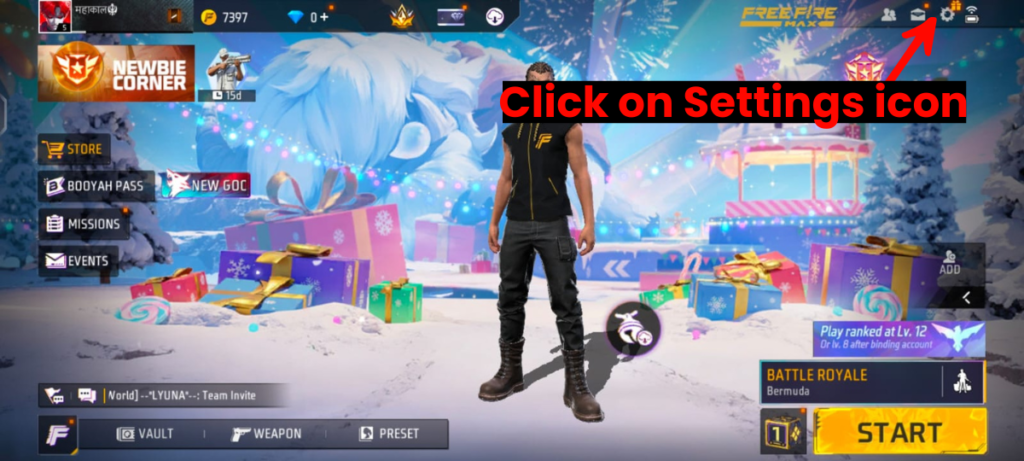
3. Click on Bind Account
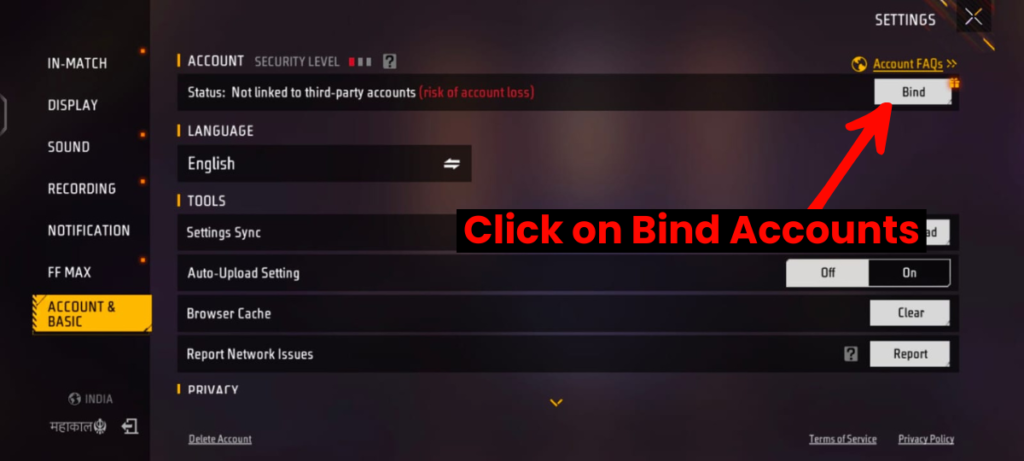
3. Link your account to Google, Facebook, X(Twitter), VK.
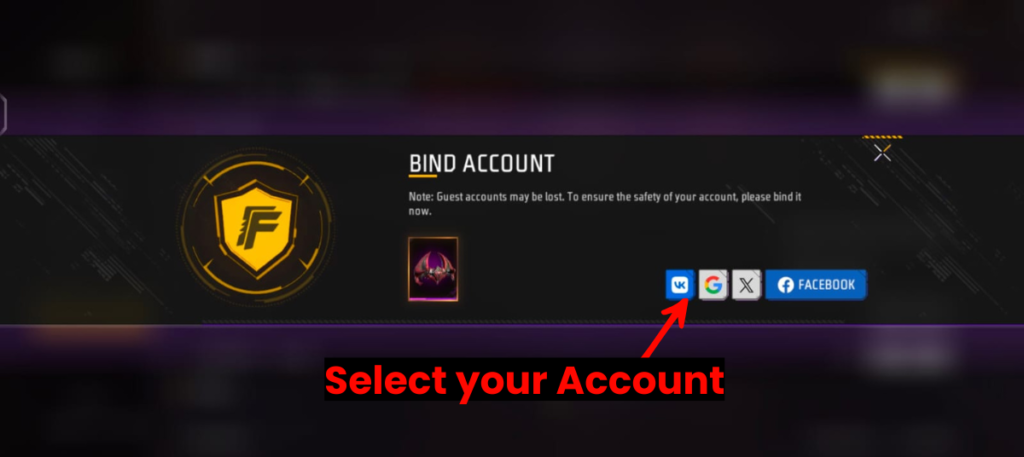
Binding your account to platforms like Facebook, X (Twittr), VK, or Gmail saves all your information to the server. This allows you to easily recover your account, even if your phone is lost or damaged.
4. Now Successfully Bind your Account
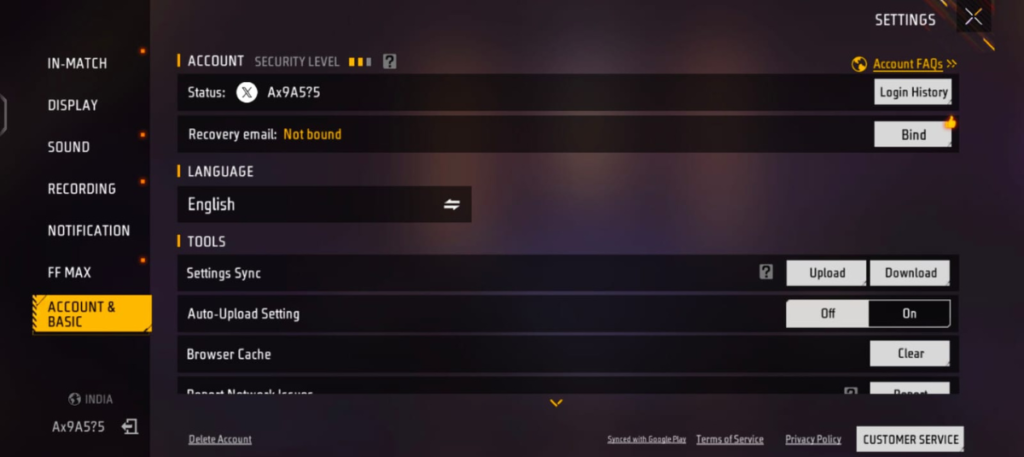
The biggest advantage of linking your account in Free Fire is that your gaming data remains secure. If you use a guest account, all your data is saved only on your device. This means that if you uninstall the game, change your phone, or update the game, you could lose all your progress.
Multi-Device Access
Once your account is linked, you can log in with your ID on any device. However, only one device can be logged in at a time.
Protection Against Hackers
Linking your account enhances its security and protects it from hackers. You can also set a recovery email for your account, allowing you to recover it if you lose access.
Using Multiple Accounts
If you have multiple Free Fire accounts, you can easily use them on the same device by linking them to different social media accounts.
RELATED POST- Garena Official Redeem Code Sources – Legit Free Fire Codes Guide
How to Avoid Scams When Claiming Codes
| Rules | Description |
|---|---|
| Use only the official website | Garena has only one official website where codes are redeemed: https://reward.ff.garena.com. Do not trust any other website. |
| Never share your login information | No legitimate website or Garena employee will ever ask you for your game ID and password. If any website or person asks for this information, it is 100% a scam. |
| Stay away from ‘code generator’ apps and websites | Any app or website that promises you “unlimited diamonds” or “free code generation” is always fake. Their sole purpose is to steal your personal information or install malware on your device. |
| Never pay for codes | Free Fire redeem codes are always free. If someone is asking you for money in exchange for a code, they are a scammer. |
| Do not click on unknown links | Never click on unknown links found in YouTube comments, WhatsApp messages, or any social media posts. Always obtain codes from official sources only. |
Be aware of these warning signs (red flags):
- Unbelievable offers: Offers like “Get 10,000 Diamonds for free!” are always fake.
- Incorrect website URL: Scam websites often have URLs that look similar to the official website but contain slight spelling mistakes (e.g., reward.ff.garena-claim.com or freefire-rewards.in).
- Asking for personal information: Asking for your name, address, phone number, or bank details is a major red flag.
- Asking you to download an app: You don’t need to download any third-party app to redeem codes.
RELATED POST- Free Fire Redeem Code Error Solutions: Complete Fix Guide [2026]
Expert Insight & Safety Tips
Ever found a code that just gives you an error? It might not be you; it might be the code. As the experts at the Times of India Esports desk note, “Certain redeem codes are valid only in specific regions… If a code isn’t designed for your country, you may see an error message. Make sure the code is meant for your region.” So, a code for the Europe server won’t work if you play on the North America server.
Related Questions Players Ask
No. Guest accounts must first be bound to Google, Facebook, or another platform before redeeming codes.
One code per account per day-Garena’s rule since 2025.
Never. The whole process is browser-only.
Clear browser cache or try incognito mode.
Yes, use the same login method you use on emulator.